DEPART ‘s core functionality is to break the total amount of a product into smaller payments that can be paid multiple times instead of all at once. Payment Plans settings allow you to customize your payment plan options, including deposit amounts, installment schedules, and other related settings.
Manage Payment Plans
First, access the list of Payment Plans by going to Dashboard >> DEPART >> Payment Plans
All the payment plans you create are listed here.
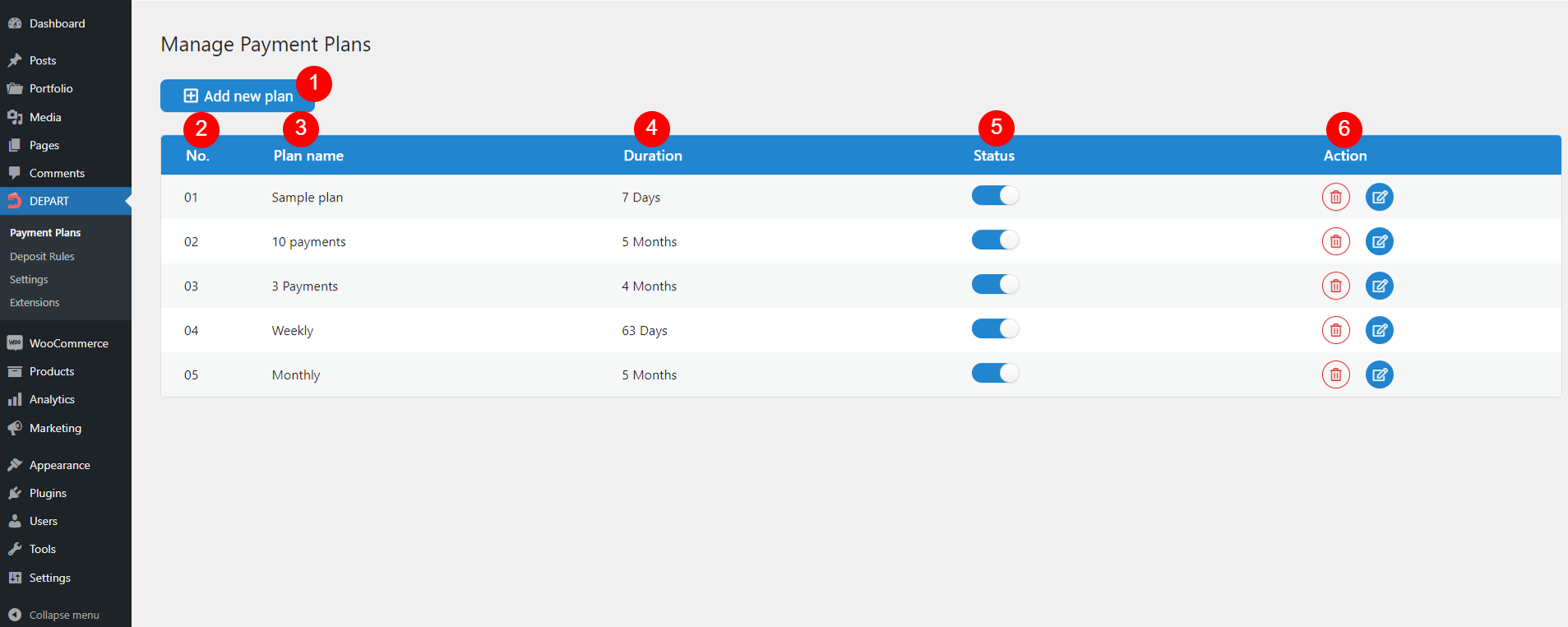
- Add new plan: Click this button to add a whole new plan. It redirects you to the “EDIT PLAN” page of that new plan instantly.
- No.: The unique identifier for the payment plan
- Plan name: The name of the payment plan.
- Duration: The total length of time the payment plan lasts
- Status: Enable or disable the payment plan.
- Action: Remove the plan or navigate to the plan editor to configure its settings.
- Trash icon
 : Click this button to remove a plan
 - Edit icon
 : Click this to be redirected to the plan editor “EDIT PLAN” below.
- Trash icon
EDIT PLAN
This is the plan editor where you are directed to after clicking the edit icon under “Action” column above.
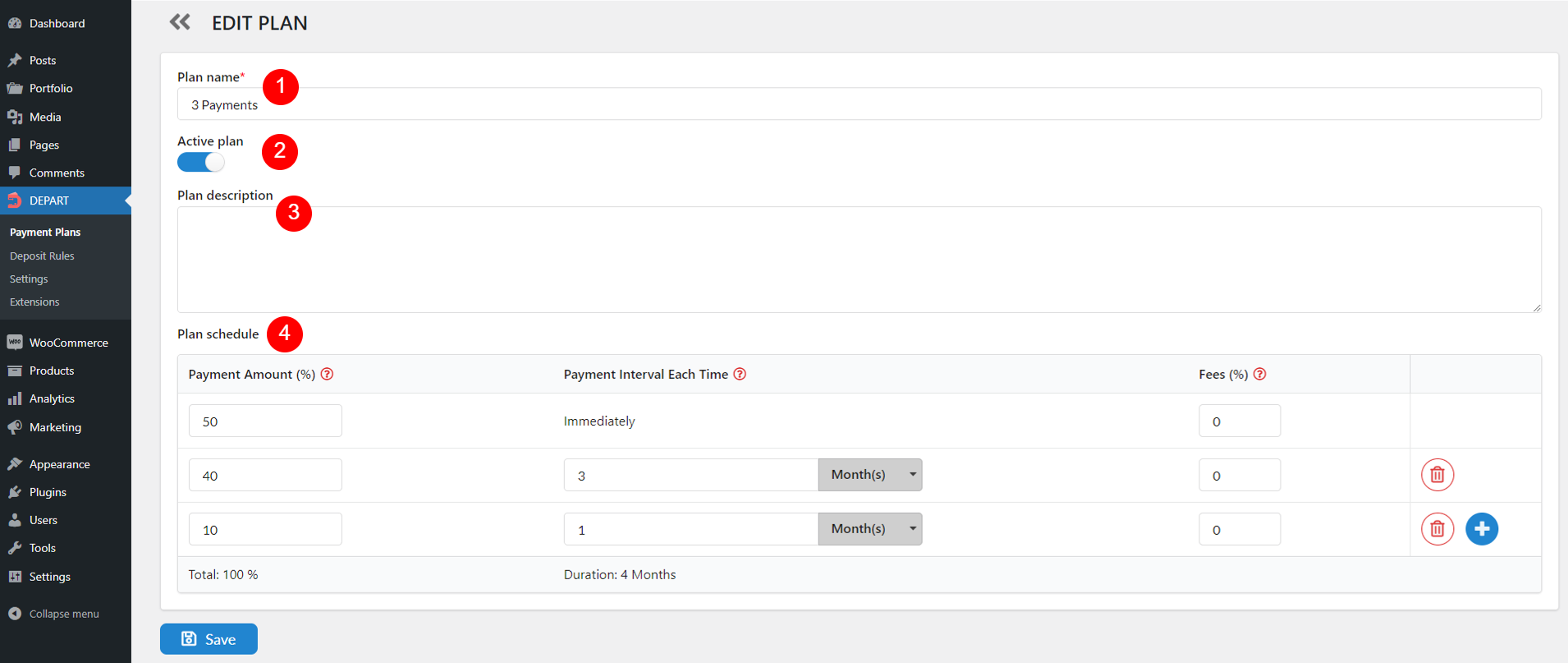
- Plan name: Enter the plan name. This field is required and will be visible to customers on the product page when selecting a plan.
- Active plan: Enable or disable this option to indicate if the plan is in use. This status will be reflected under “Status” on the Manage Payment Plans page above.
- Plan description: Provide a description of the payment plan
- Plan schedule
- Payment Amount (%): Specify the percentage of the total amount to be paid in each installment
- Payment Interval Each Time: Set the time interval between each payment. The first line is always set to “Immediately” because it represents the initial payment made at the time of purchase, and it cannot be removed or changed. From the second installment onward, you can configure the time interval by days, months, or years.
- Fees (%): Indicate any additional fees as a percentage of the payment amount. This value is calculated based on the Payment Amount (%) of the associated installment.
- Total: The total amount of the payment plan, which is the sum of all installment amounts within the plan (defined in Payment Amount (%)). This value must equal 100%.
- Duration: Define the overall length of the payment plan. This value is the sum of the durations specified in each payment interval (in Payment Interval Each Time).
- Plus icon
 : Click to add new payment schedules or intervals.
 - Trash icon
 : When you Plan schedule has more than 2 installments, this button will be visible allowing you to remove any line, except for the first default line.