DEPART offers two email types for customer communication. You can enable or disable these emails or adjust their settings by navigating to Dashboard >> DEPART >> Settings >> Email
Scroll down to view the details.
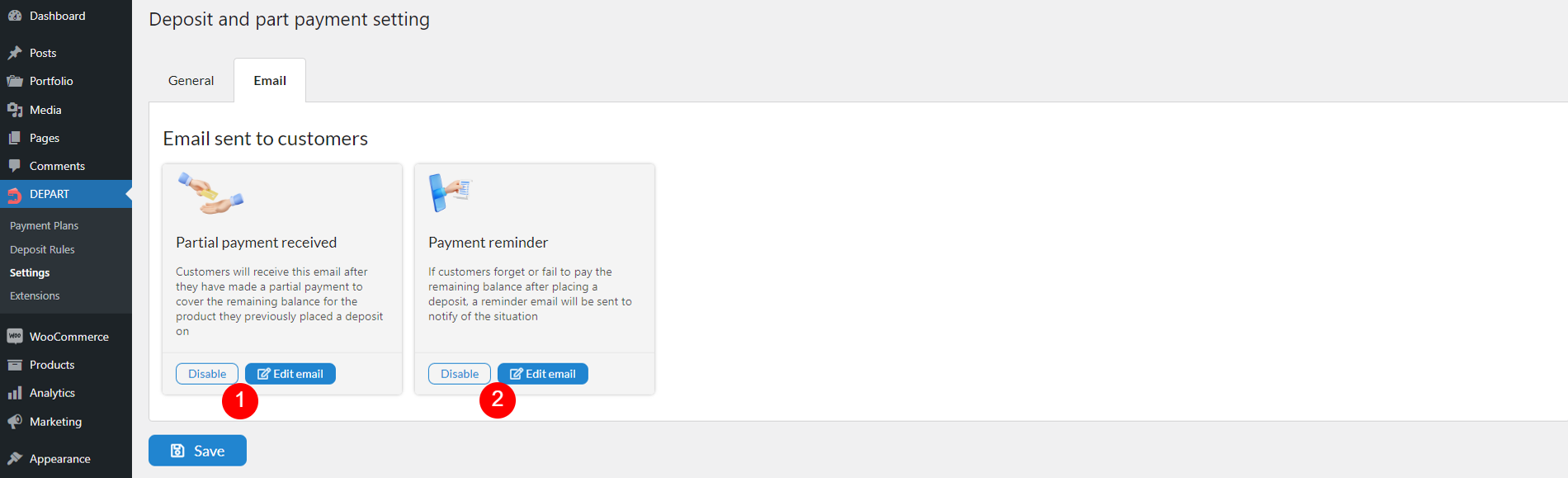
- Partial payment received: This email notifies customers when a partial payment has been successfully processed. It can include details of the payment amount and remaining balance, depends on how you set up its content in the option “Edit email” below
- Enable/Disable: Use this option to send/not send the email to the customer when the partial payment is successful.
- Edit email: This button redirects you to the email editor. You can edit the email content there. Visit this documentation for details.
- Payment reminder: This email alerts customers about failed or overdue payments. It can include details about the amount due and the payment deadline, depends on how you set up its content in the option “Edit email” below
- Enable/Disable: Use this option to send/not send the email to the customer when the partial payment is failed or overdue
- Edit email: This button redirects you to the email editor. You can edit the email content there. Visit this documentation for details.