
Created: 12/2025
Last updated: 12/2025 – Updated version: 1.0.1
By: VillaTheme
Thank you for using our plugin.
If you have any questions that are beyond the scope of this documentation, please feel free to request support at our Support Forum. Thanks so much!
VillaTheme Core for Theme can be installed in one of the following ways, depending on the theme and setup process:
Automatically when activating a VillaTheme theme
For supported themes, the plugin will be prompted for installation or installed automatically during the theme activation process. This ensures all required features are enabled without manual steps.
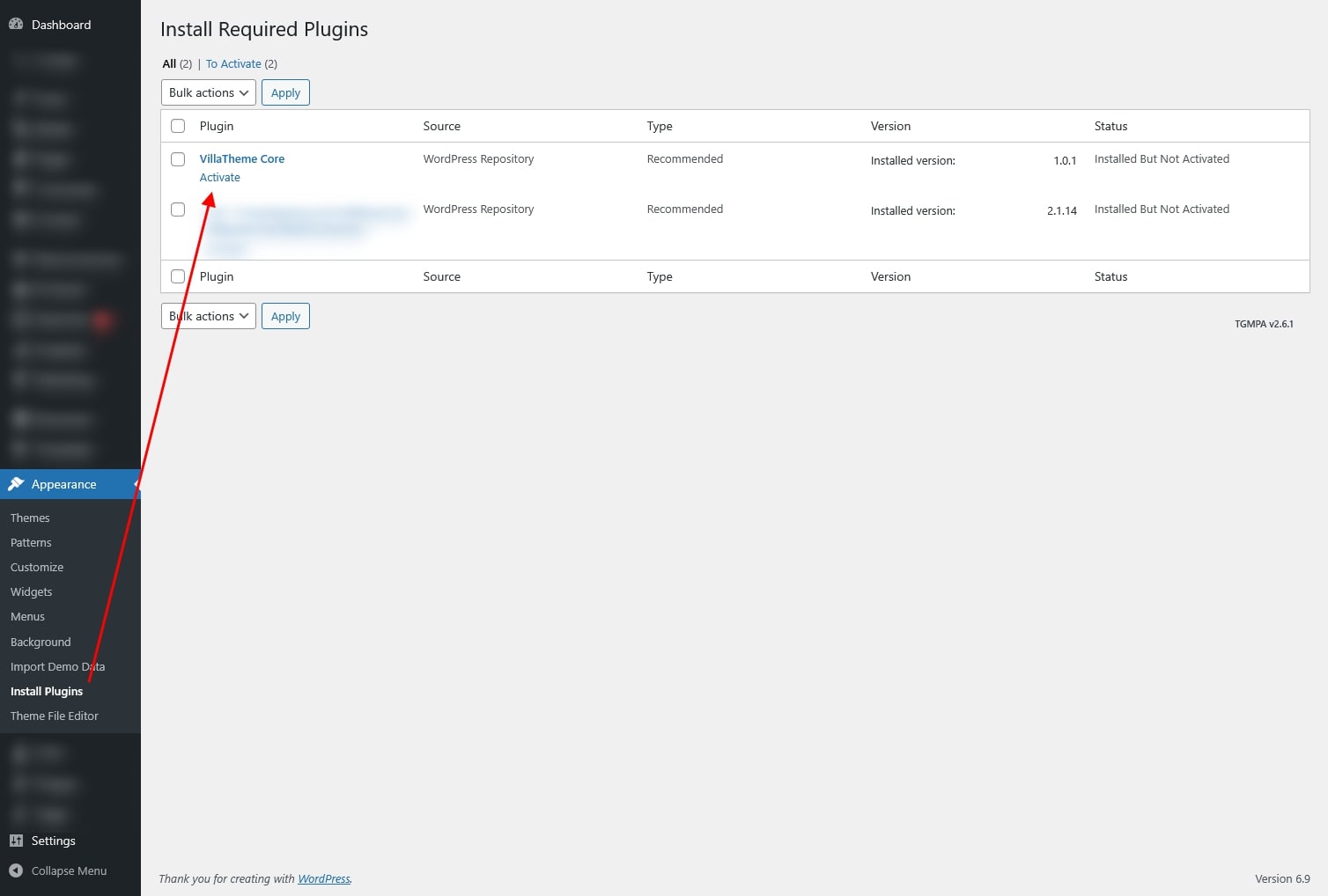
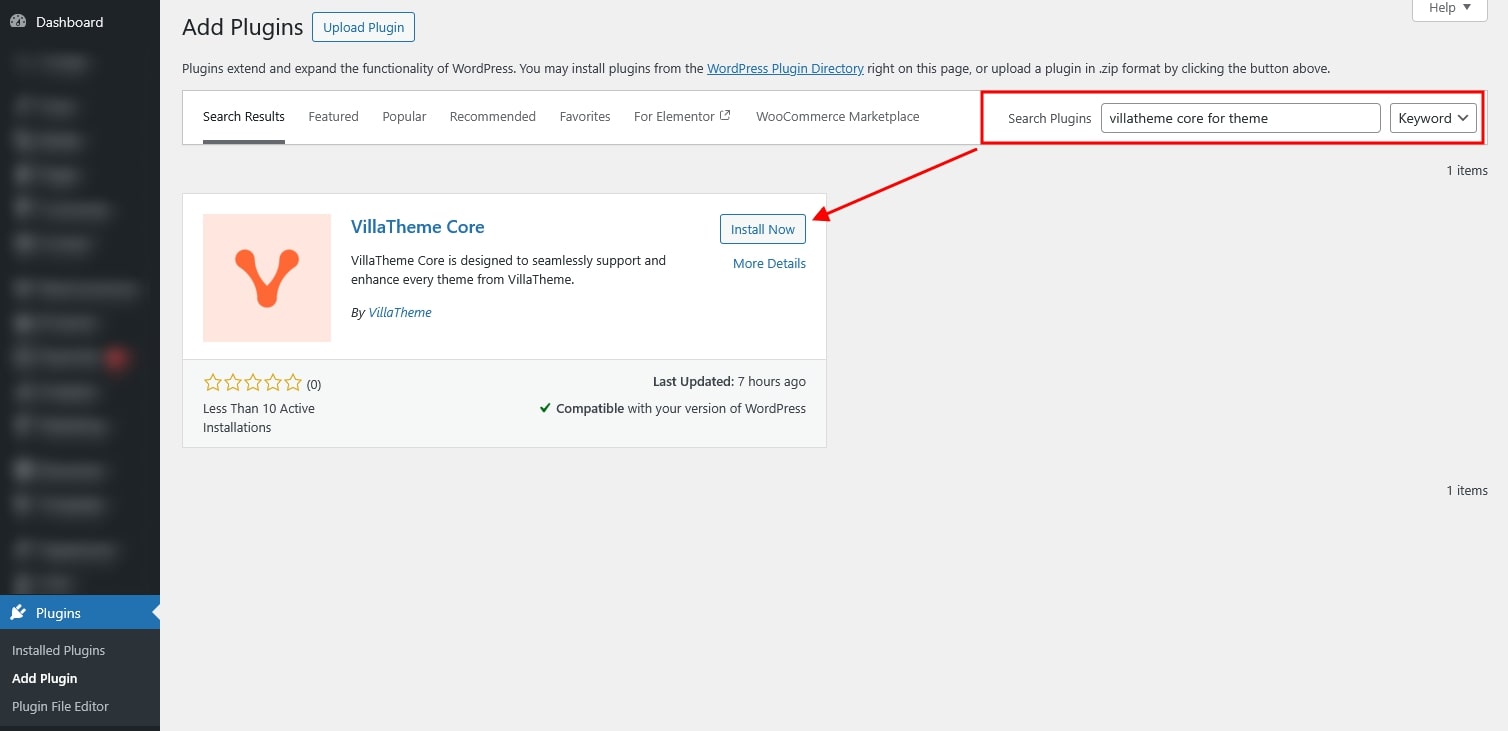
Manually via the WordPress Plugins dashboard
You can also install the plugin directly from the WordPress admin area by navigating to Plugins → Add New, uploading the plugin package (downloaded from this official source), or search its plugin name VillaTheme Core, installing it, and then activating it.
VillaTheme Core for Theme is the companion plugin designed to fully activate the capabilities of VillaTheme’s premium themes such as Draly. Once installed, it automatically unlocks the complete set of theme options, enables all essential built-in modules, and provides the tools needed to create advanced layouts – including mega menus and custom footers. This plugin ensures the theme runs with its full design flexibility and functionality, giving users the complete experience as intended.
VillaTheme Core for Theme is not a standalone plugin. It is designed to work exclusively with specific VillaTheme WordPress themes. Its purpose is to activate and extend the features built into those themes. On its own, it has no independent settings or functionality – everything it provides is loaded directly from the theme you’re using.
When using the Draly theme, VillaTheme Core for Theme is required to enable its full functionality. The plugin provides the following theme-specific features:
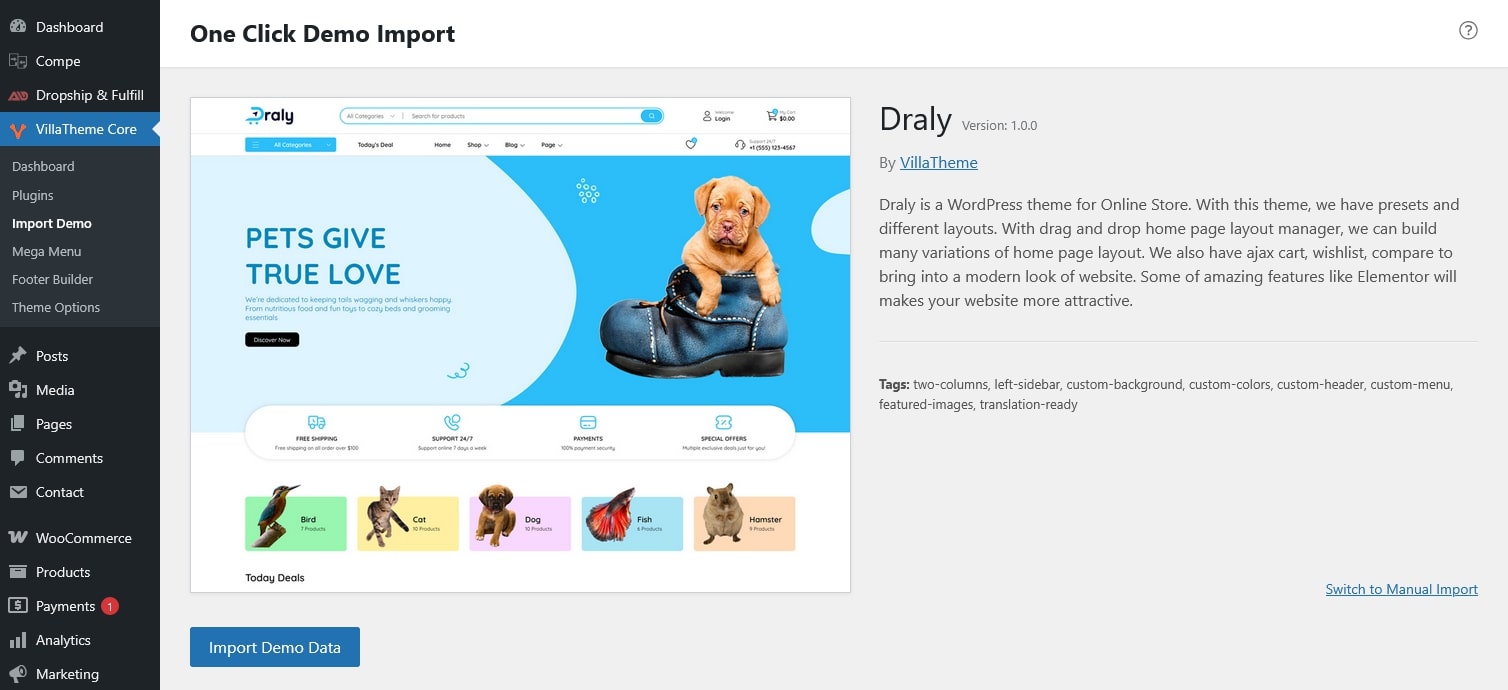
Allows you to import ready-made demo layouts created specifically for Draly, helping you quickly set up your site structure, pages, and design.
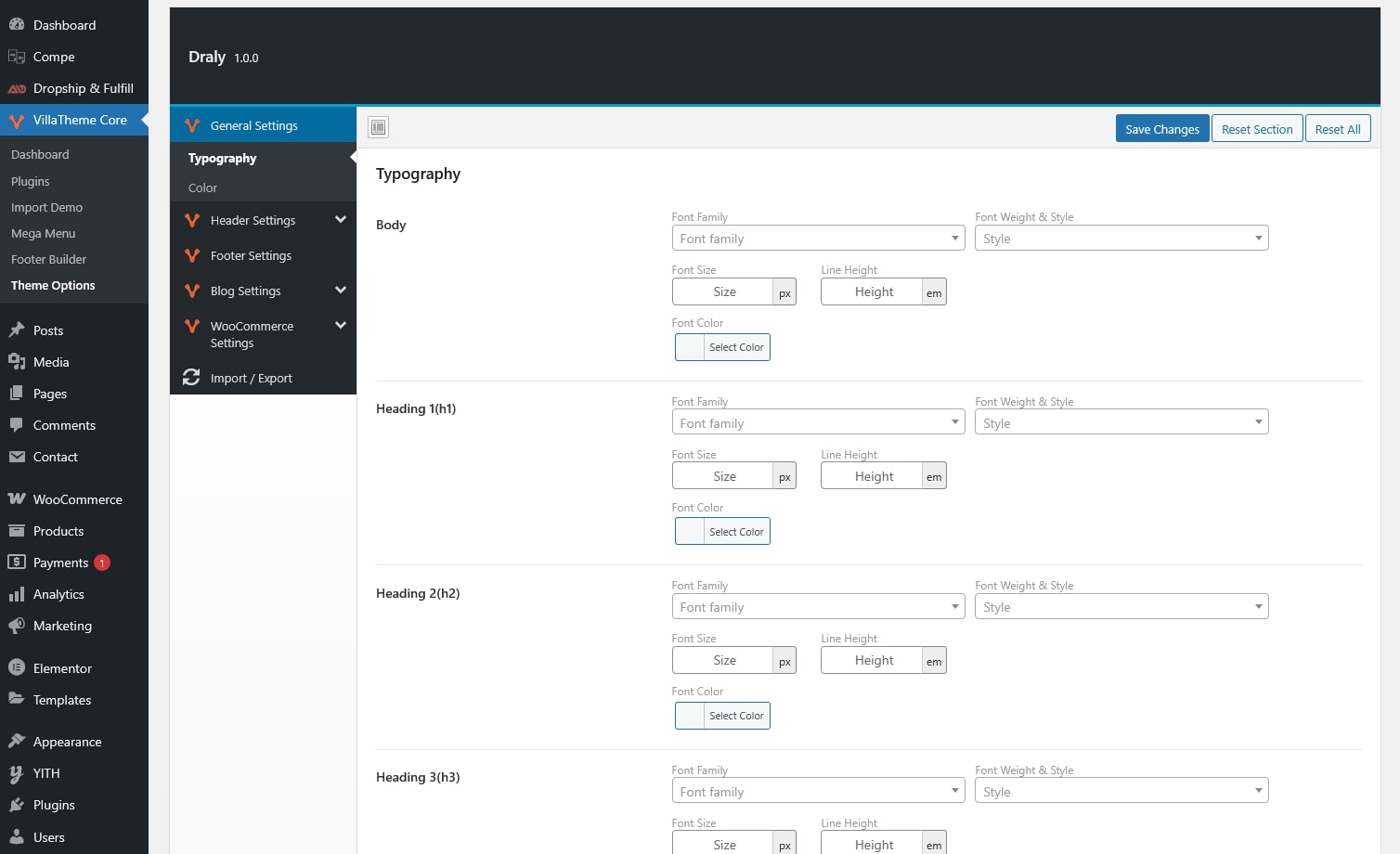
Unlocks all Draly theme options, including layout settings, typography controls, color customization, and other advanced design settings.
Enables the built-in mega menu feature, allowing you to create multi-column menus with custom layouts, widgets, icons, and enhanced navigation structures.
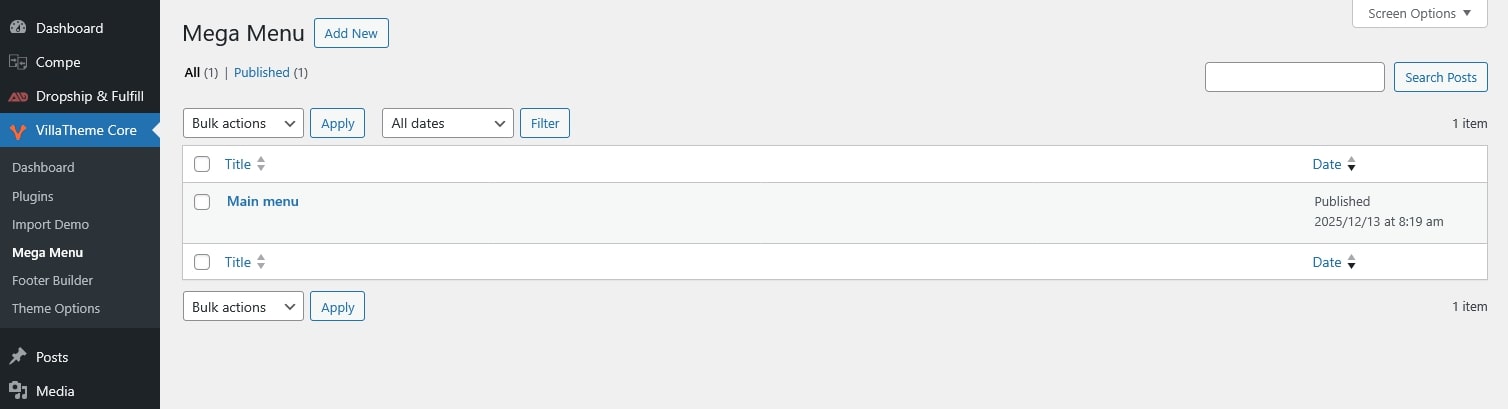
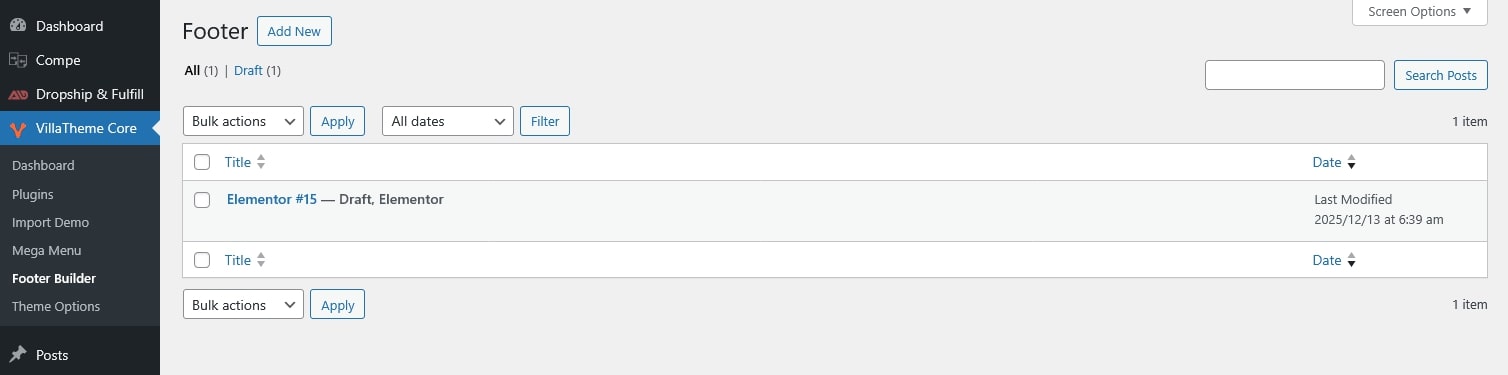
Footer Builder & Widget Import
Activates the footer builder and allows creates footer layouts along with the widgets.
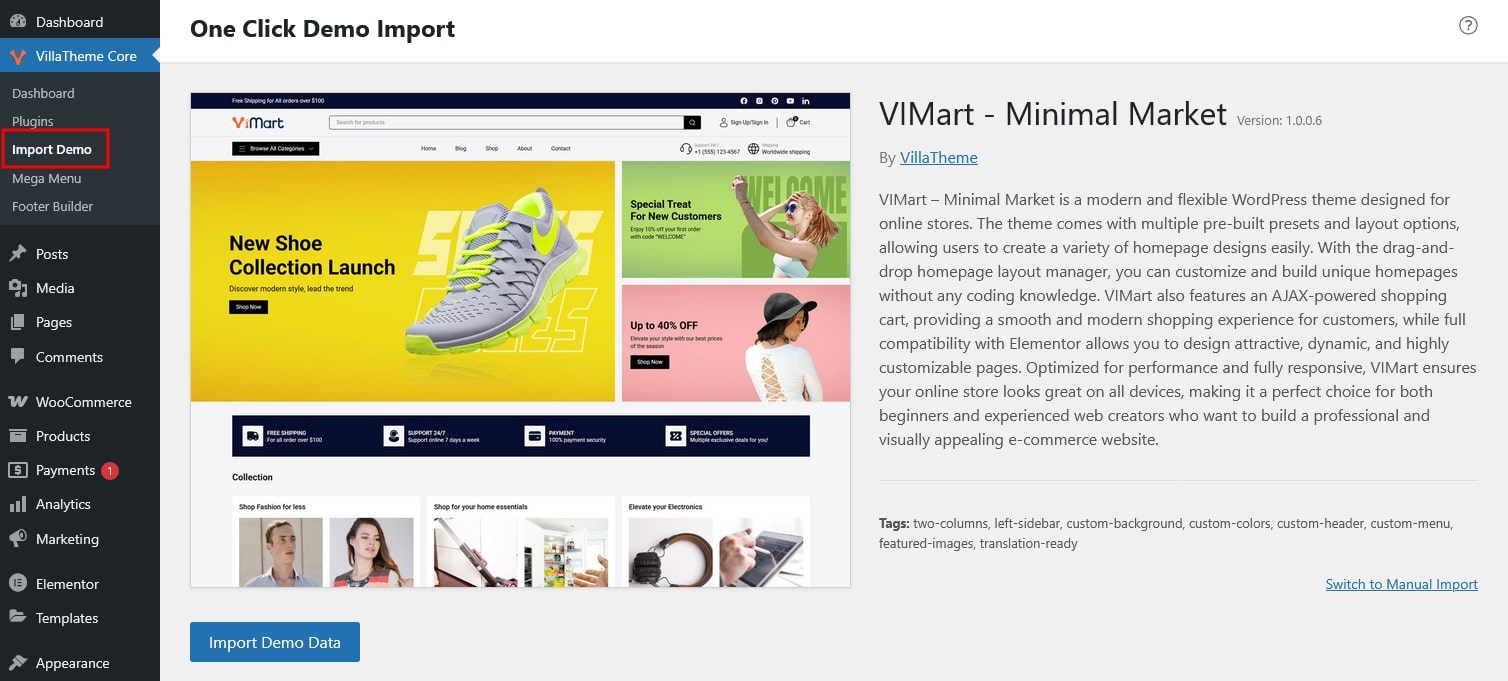
For the VIMart theme users, VillaTheme Core for Theme is required to activate its essential theme features. Once enabled, the plugin provides:
Unlocks the ability to import predefined demo content to quickly set up the site layout and design. Without VillaTheme Core, only Option 2: Import Manually is available
1, Mega Menu:
Add the megamenu_layout parameter to choose the layout “horizontal” or “vertical“. Default is “horizontal“.
wp_nav_menu( array $args = array(
'menu' => "", // (int|string|WP_Term) Desired menu. Accepts a menu ID, slug, name, or object.
'menu_class' => "", // (string) CSS class to use for the ul element which forms the menu. Default 'menu'.
'menu_id' => "", // (string) The ID that is applied to the ul element which forms the menu. Default is the menu slug, incremented.
'container' => "", // (string) Whether to wrap the ul, and what to wrap it with. Default 'div'.
'container_class' => "", // (string) Class that is applied to the container. Default 'menu-{menu slug}-container'.
'container_id' => "", // (string) The ID that is applied to the container.
'fallback_cb' => "", // (callable|bool) If the menu doesn't exists, a callback function will fire. Default is 'wp_page_menu'. Set to false for no fallback.
'before' => "", // (string) Text before the link markup.
'after' => "", // (string) Text after the link markup.
'link_before' => "", // (string) Text before the link text.
'link_after' => "", // (string) Text after the link text.
'echo' => "", // (bool) Whether to echo the menu or return it. Default true.
'depth' => "", // (int) How many levels of the hierarchy are to be included. 0 means all. Default 0.
'walker' => "", // (object) Instance of a custom walker class.
'theme_location' => "", // (string) Theme location to be used. Must be registered with register_nav_menu() in order to be selectable by the user.
'items_wrap' => "", // (string) How the list items should be wrapped. Default is a ul with an id and class. Uses printf() format with numbered placeholders.
'item_spacing' => "", // (string) Whether to preserve whitespace within the menu's HTML. Accepts 'preserve' or 'discard'. Default 'preserve'.
'megamenu_layout' => "", // (string) "horizontal" or "vertical". Default "horizontal".
) );
2, Footer Builder: Add code to the footer to display the content of the footer builder.
do_action( 'villco_footer_content' );
Note: The Footer and Mega Menu can be edited with Elementor.
Elementor > Settings > Post Types > Check the checkbox in the Footer and Mega Menu
3, Import demo (required plugin: One Click Demo Import)
add_filter( 'villco_import_demos', array( __CLASS__, 'your_function' ) ); $demos = [ [ 'import_file_name' => 'import_file_name', 'demo_path' => 'http://www.your_domain.com/demo-01/', 'demo_uri' => 'http://www.your_domain.com/demo-01/', 'option_name' => 'redux_option_name', 'categories' => [ 'Category 1', 'Category 2' ], 'preview_url' => 'http://www.your_domain.com', ], ]; return $demos; }
demo_path points to the links of the import files: content.xml, redux, elementor.js, widget.wie.
demo_uri points to the links of the preview: preview.jpg
Thank you for your attention!
If you have any question, please create a topic at our FORUM, we will support within 24 hours.