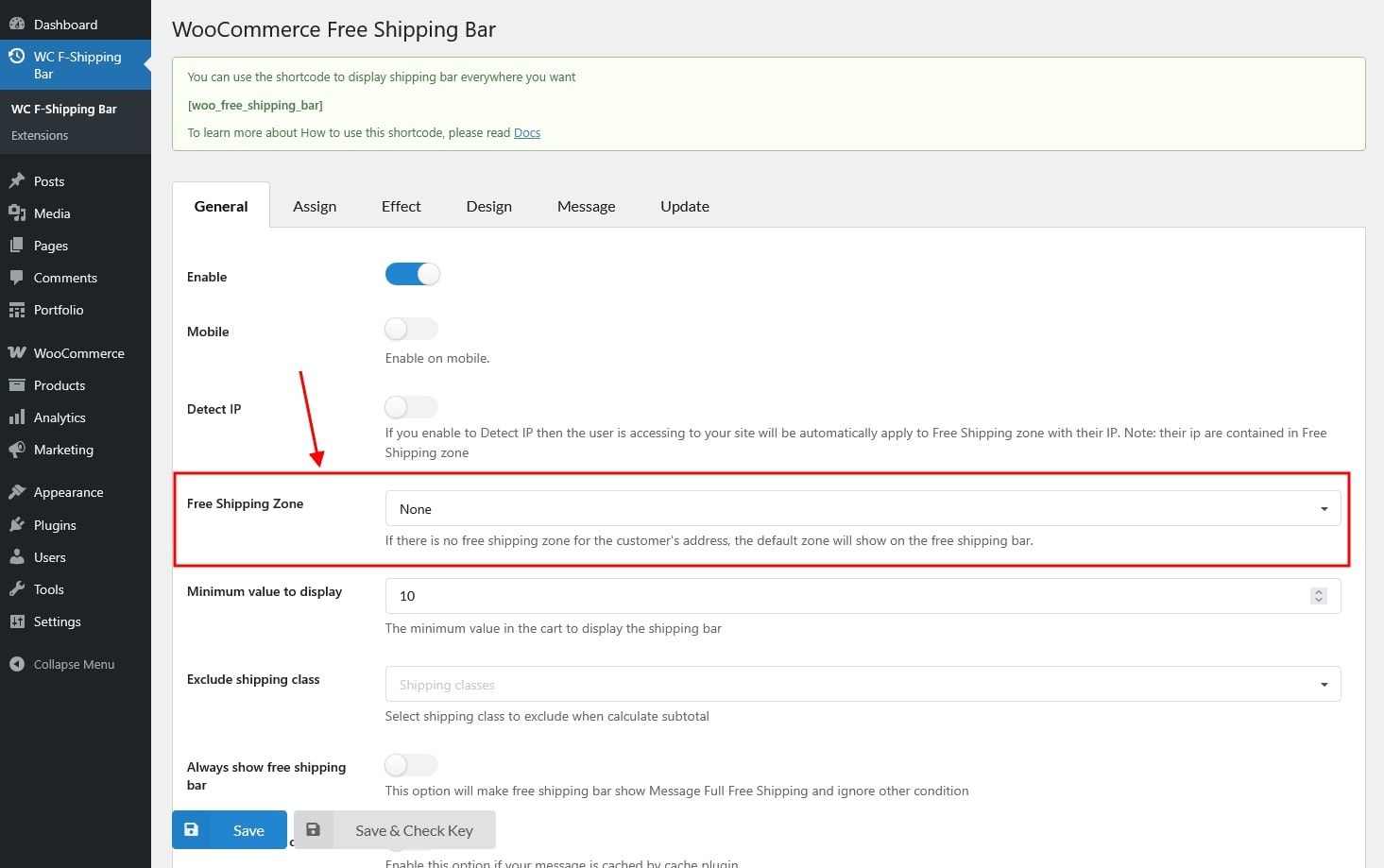
Free Shipping Zone Setting: Set the Free Shipping Zone option to None.
Configure Flexible Shipping
In your Flexible Shipping settings, make sure to:
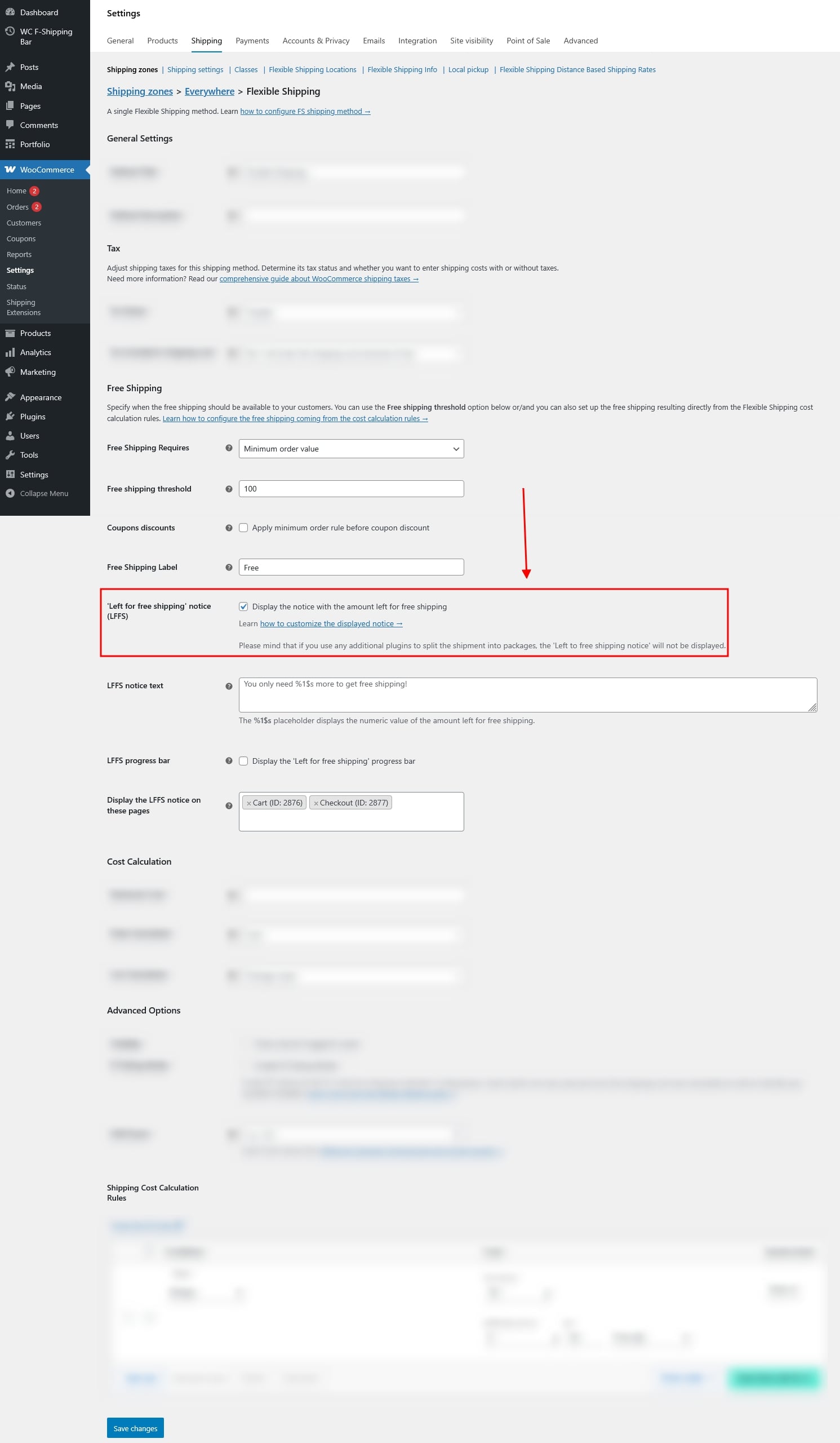
- Create a method that provides Free Shipping.
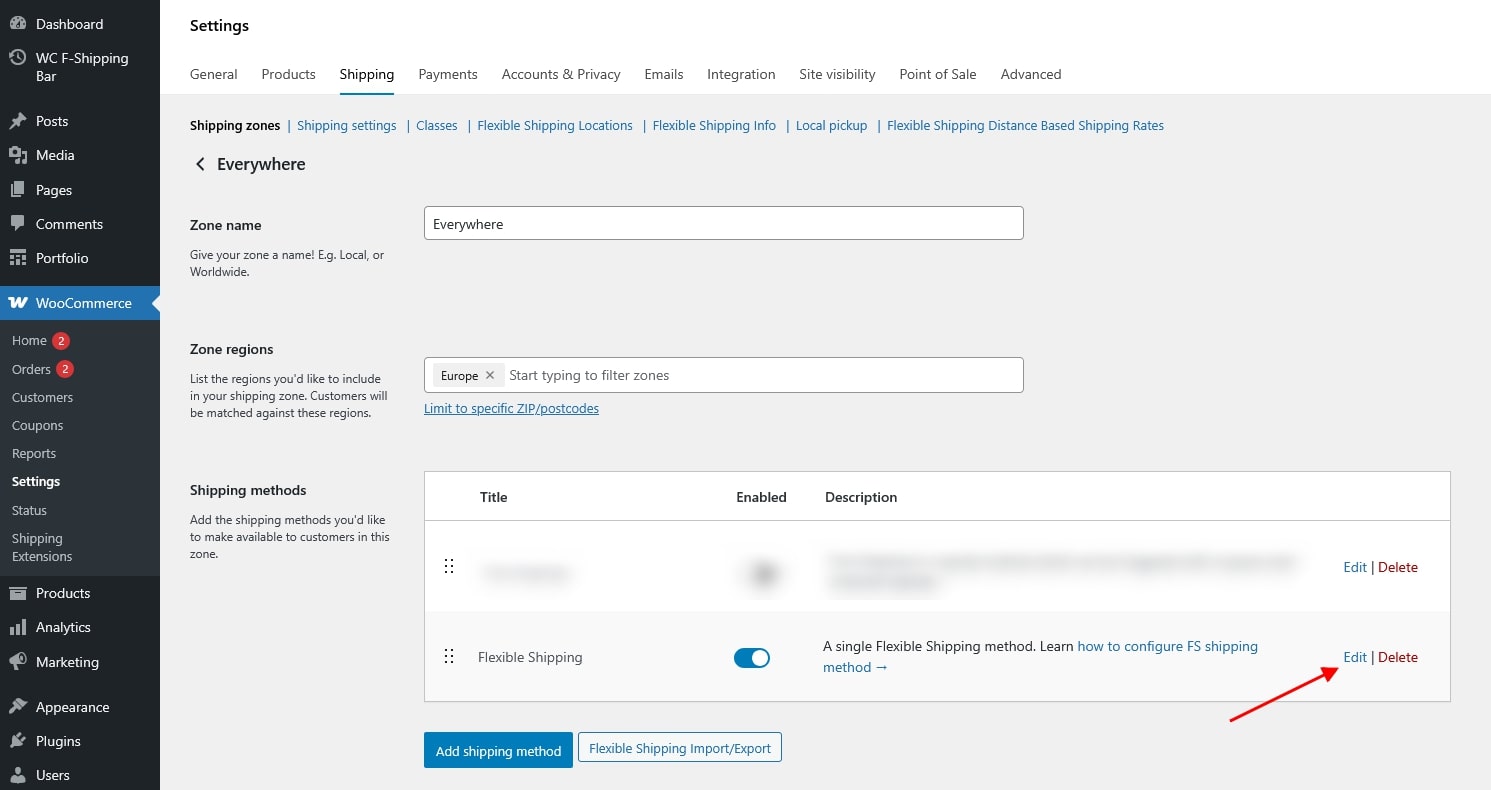
- Enable the method notice option.
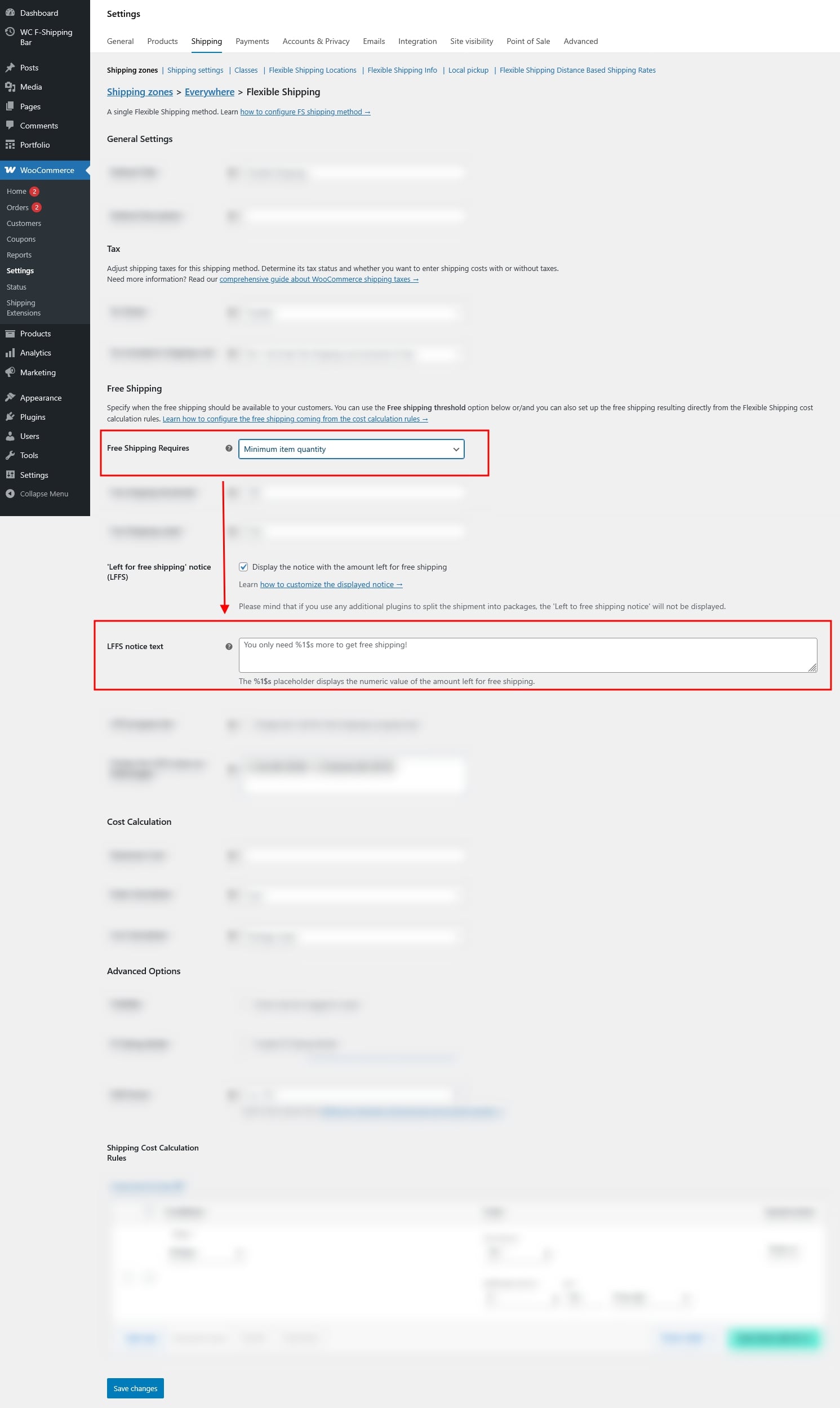
When Free Shipping Is Based on Product Quantity
If your free-shipping rule depends on the number of items in the cart, the message shown in the plugin’s shipping bar will be taken from the “LFFS notice text” option in Flexible Shipping.
Multiple Free-Shipping Methods in One Region
If a region contains two or more Flexible Shipping methods that offer free shipping, the plugin’s shipping bar will display the notice from the first method that matches our plugin’s logic.
Testing Your Setup
After saving all settings:
- Adjust the cart contents (e.g., add or remove products).
- Refresh the page, or check using a private/incognito browser window.
This ensures the correct free-shipping notice is displayed based on your rules.