After installing the Customer Coupon plugin, each coupon includes three additional sections::
These sections extend the default WooCommerce coupon settings and control how and when the coupon is displayed, applied, and restricted.
Customer Coupon
These settings control how the coupon is presented to customers and how it behaves on the frontend.
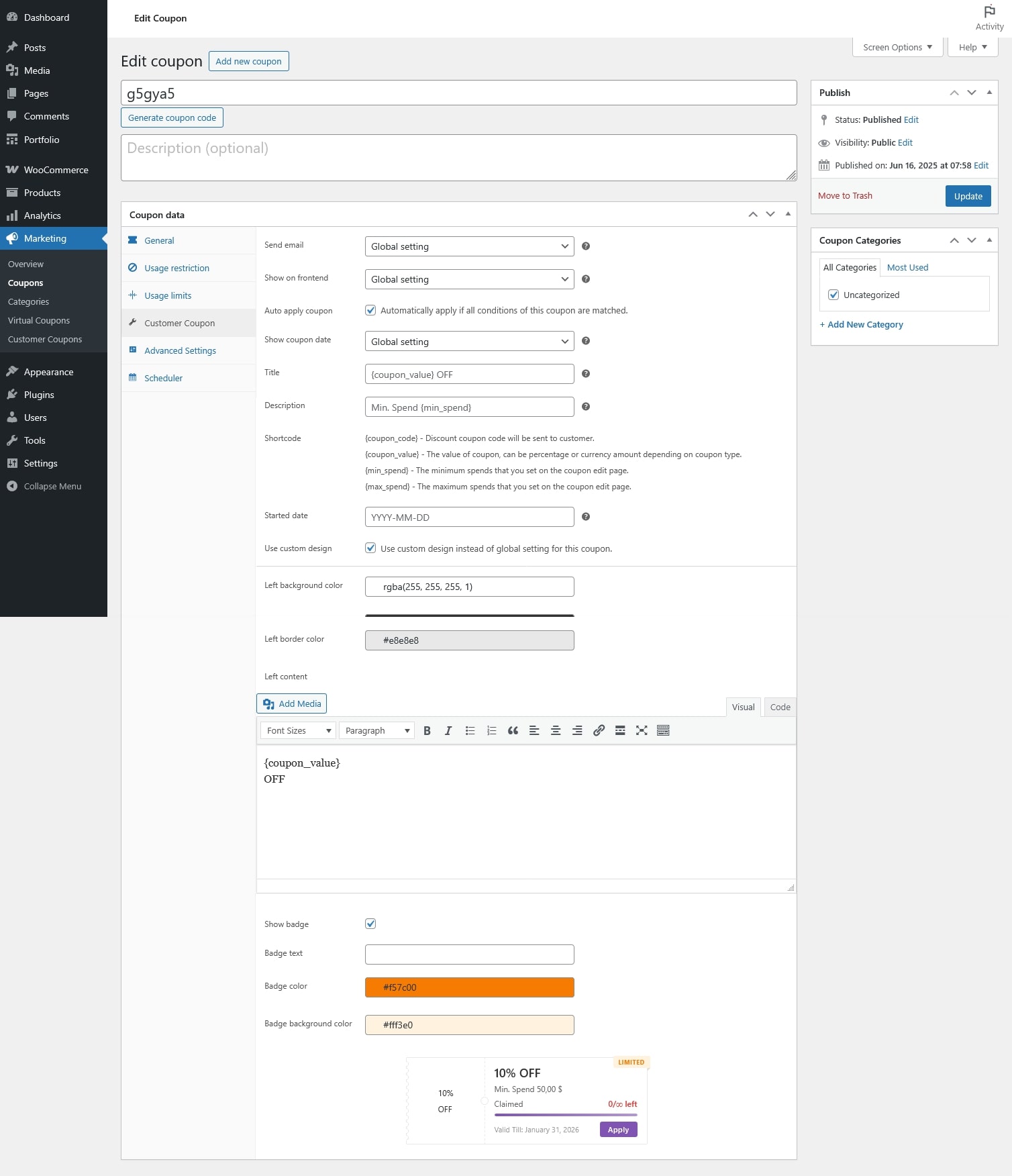
- Send email: Choose whether this coupon should be sent to customers via email.
- Yes: Always send email for this coupon
- No: Never send email for this coupon
- Global: Use the global plugin setting
- Show on frontend: Control whether this coupon is visible on the frontend (coupon lists, widgets, or pages).
- Yes: Always show this coupon
- No: Never show this coupon
- Global: Use the global plugin setting
- Auto apply coupon: Automatically applies this coupon when all coupon conditions are met.
- Show coupon date: Display the coupon’s valid date on the frontend.
- Yes: Show the date
- No: Hide the date
- Global: Use the global plugin setting
- Title: The coupon title displayed on the frontend.
- Description: A short description shown to customers explaining the coupon.
- Shortcode: Placeholders you can use to write the title and description
- Started date: The date when the coupon becomes available. Default value is the coupon creation date.
- Use custom design: Use a custom design for this coupon instead of the global design settings. Configure the options below to see the updates reflected in the preview
- Left background color
- Left text color
- Left border color
- Left content
- Show badge
- Badge text
- Badge color
- Badge background color
Advanced Settings
These options control who can use the coupon and under which conditions.
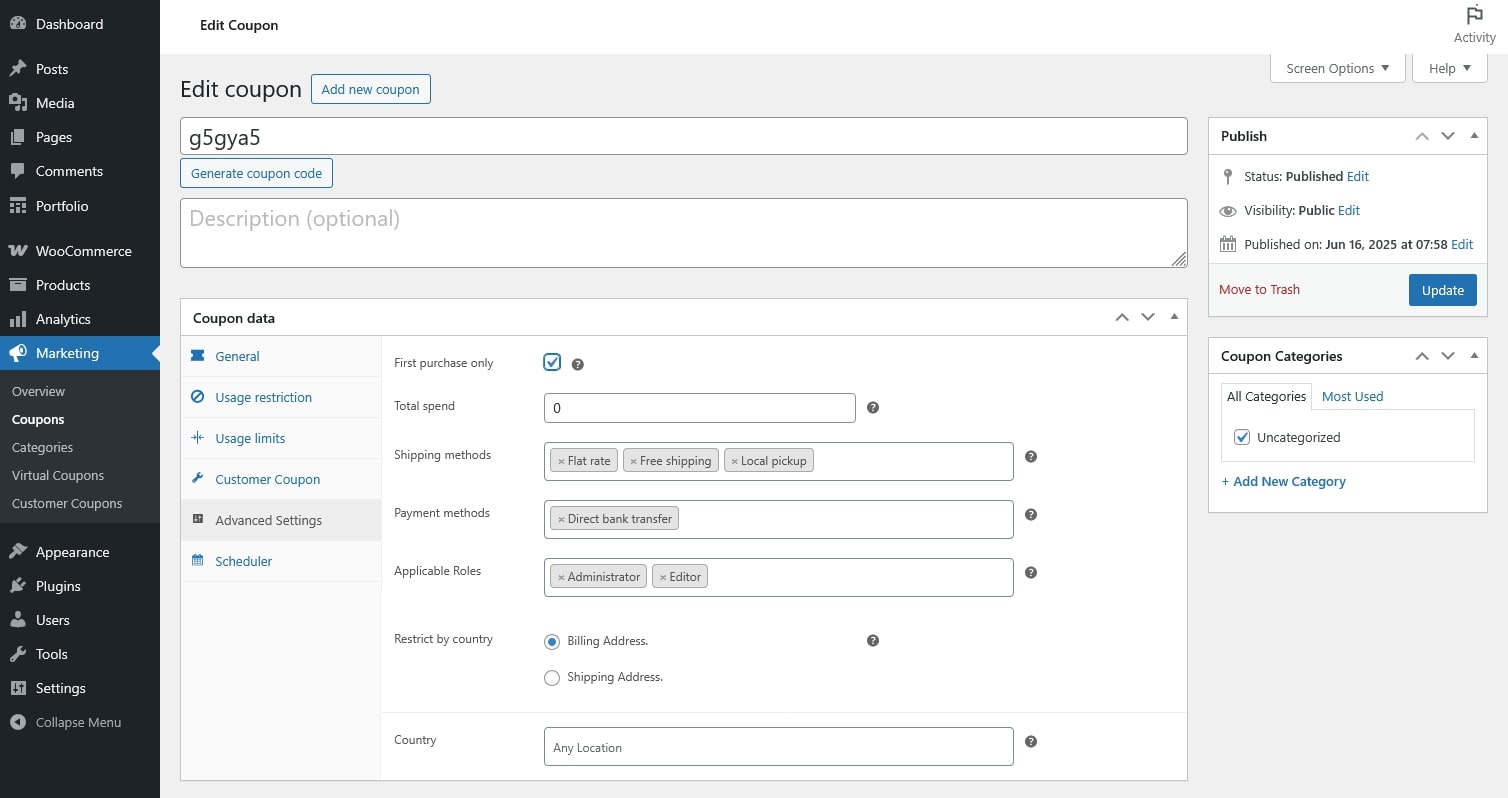
- First purchase only: Only customers who have not placed any orders can apply this coupon.
- Total spend: The total amount a customer must have spent in your store to use this coupon
- Shipping methods: The coupon is applicable only if one of the selected shipping methods is used. Leave empty to allow all shipping methods.
- Payment methods: The coupon is applicable only if one of the selected payment methods is used. Leave empty to allow all payment methods
- Applicable Roles: The coupon is applicable only if the customer belongs to one of the selected user roles.
- Restrict by country: Restrict coupon usage based on the customer’s country – from billing address or shipping address
- Country: Select the countries allowed for the restriction above.
Scheduler
These settings allow you to control when the coupon is valid.
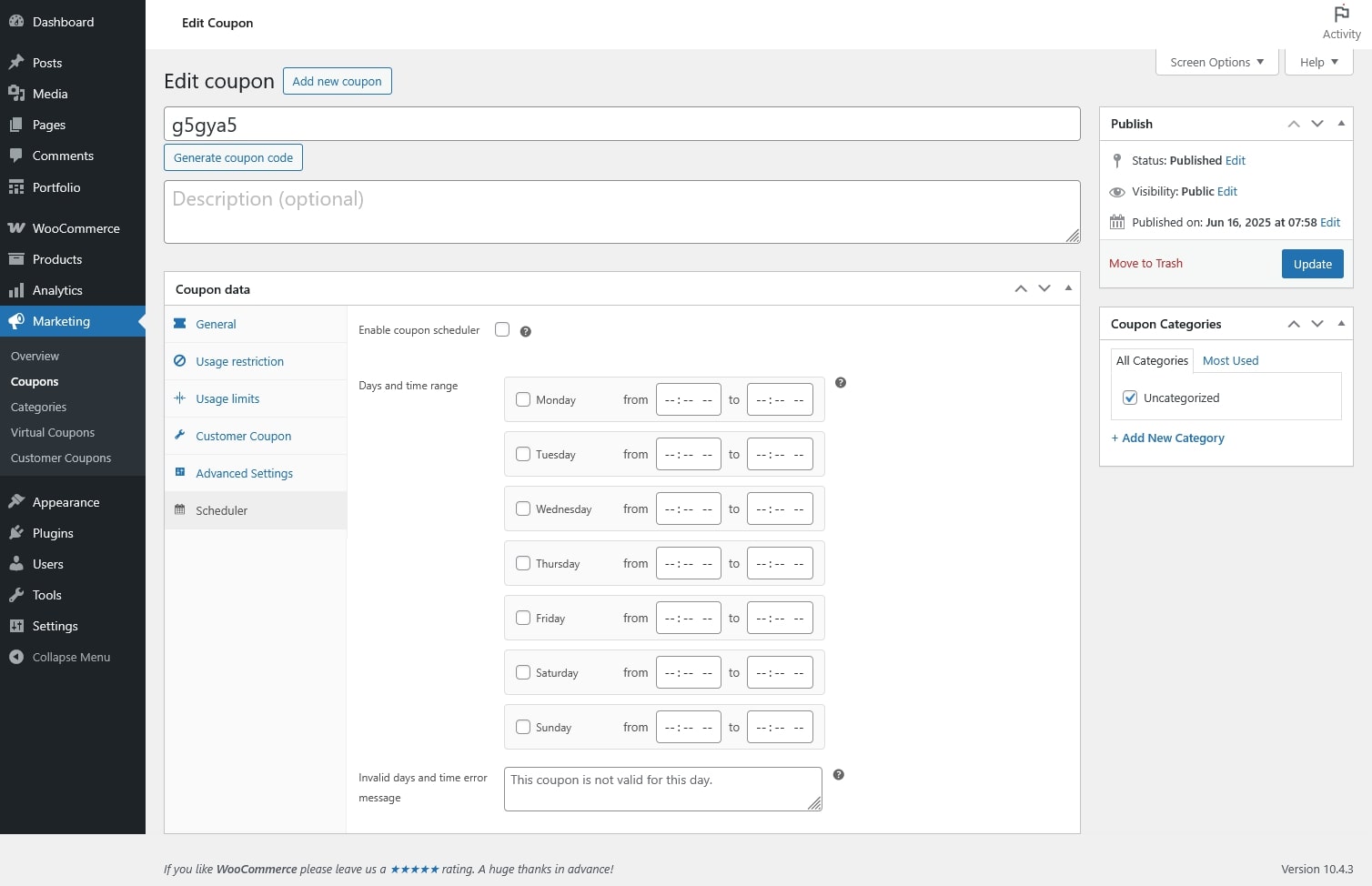
- Enable coupon scheduler: Enable time-based restrictions for this coupon. When enabled, the scheduler overrides the default coupon availability settings.
- Days and time range: Define the valid days and time ranges for each day (Monday to Sunday).
- Invalid days and time error message: Custom message shown to customers when the coupon is not valid due to the schedule.