Coupon categories help you organize and manage coupons more easily. They do not affect how discounts are applied.
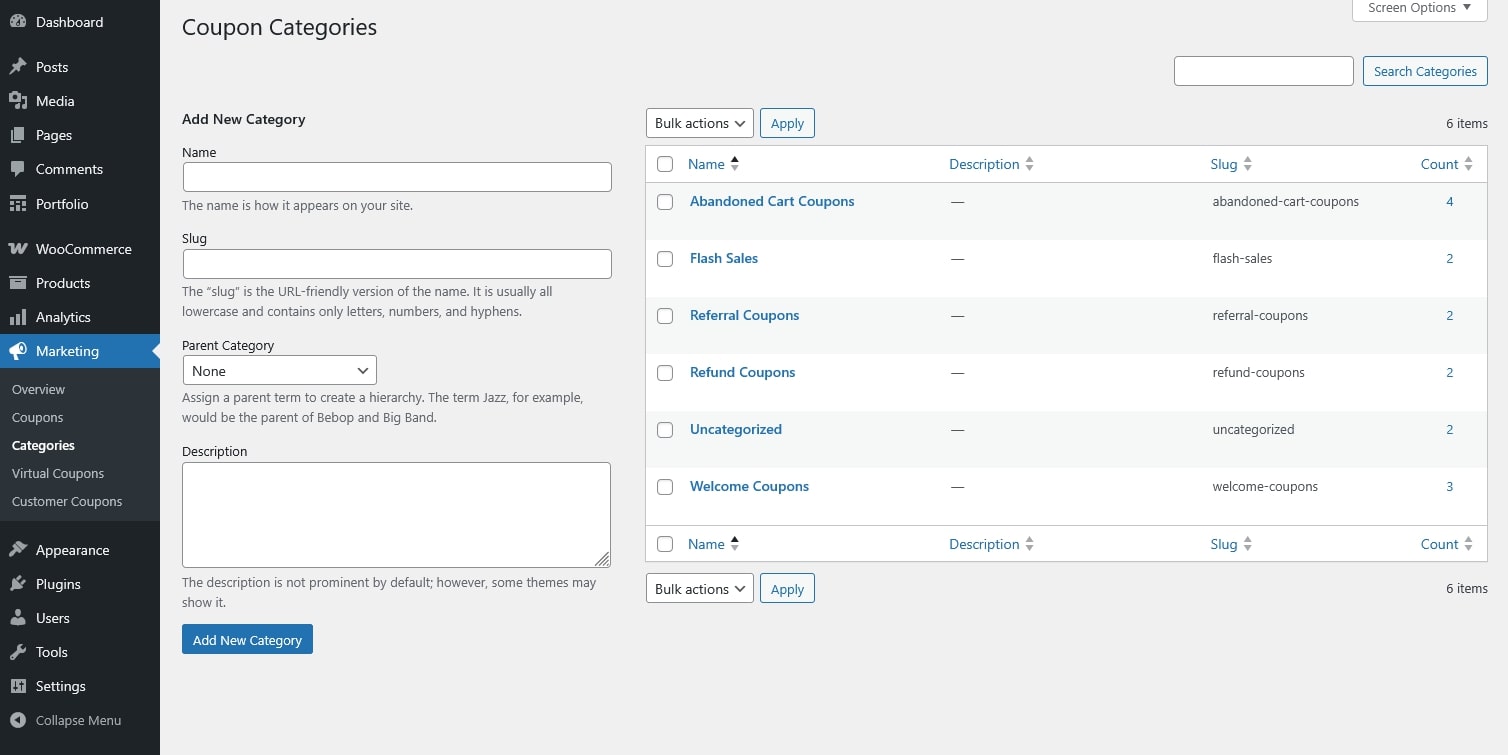
Step 1: Create Coupon Categories
- Go to Marketing → Categories.
- Add New Category: Enter a category name (for example: Marketing, One-Time Use, Refund).
- Save the category.
You can create as many categories as needed.
Step 2: Assign a Category to a Coupon
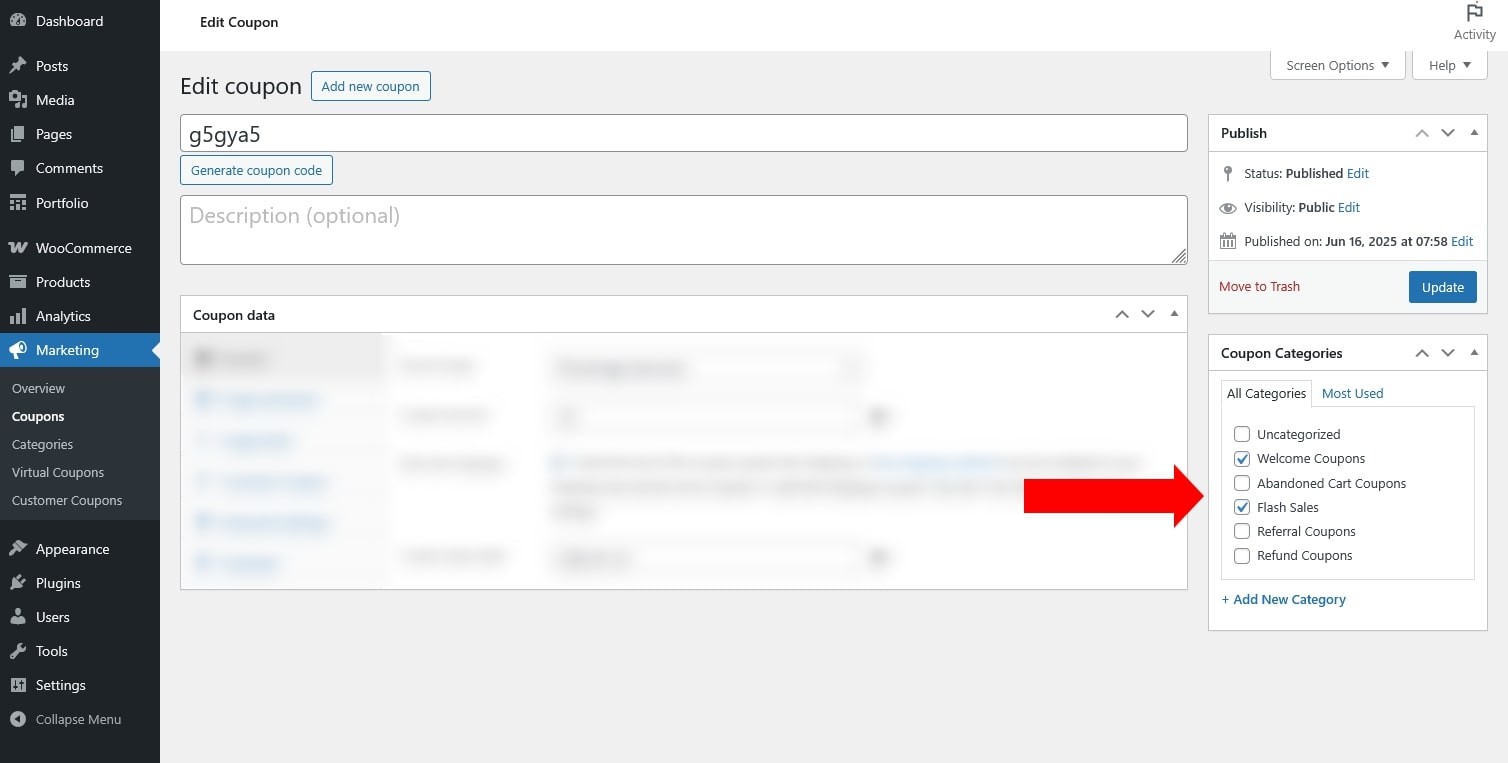
- Go to Marketing → Coupons.
- Create a new coupon or edit an existing one.
- Locate the Coupon Category option.
- Select one or more categories for the coupon.
- Publish or Update the coupon.
Step 3: Manage Coupons by Category
Use categories to filter coupons in the coupon list.
Group coupons by purpose (marketing, refunds, one-time use, etc.).
Quickly find and manage coupons later.