This tab controls how customer addresses are displayed and managed, including where to insert the addresses and the form, how many shipping addresses a customer can save, and which address fields are shown.
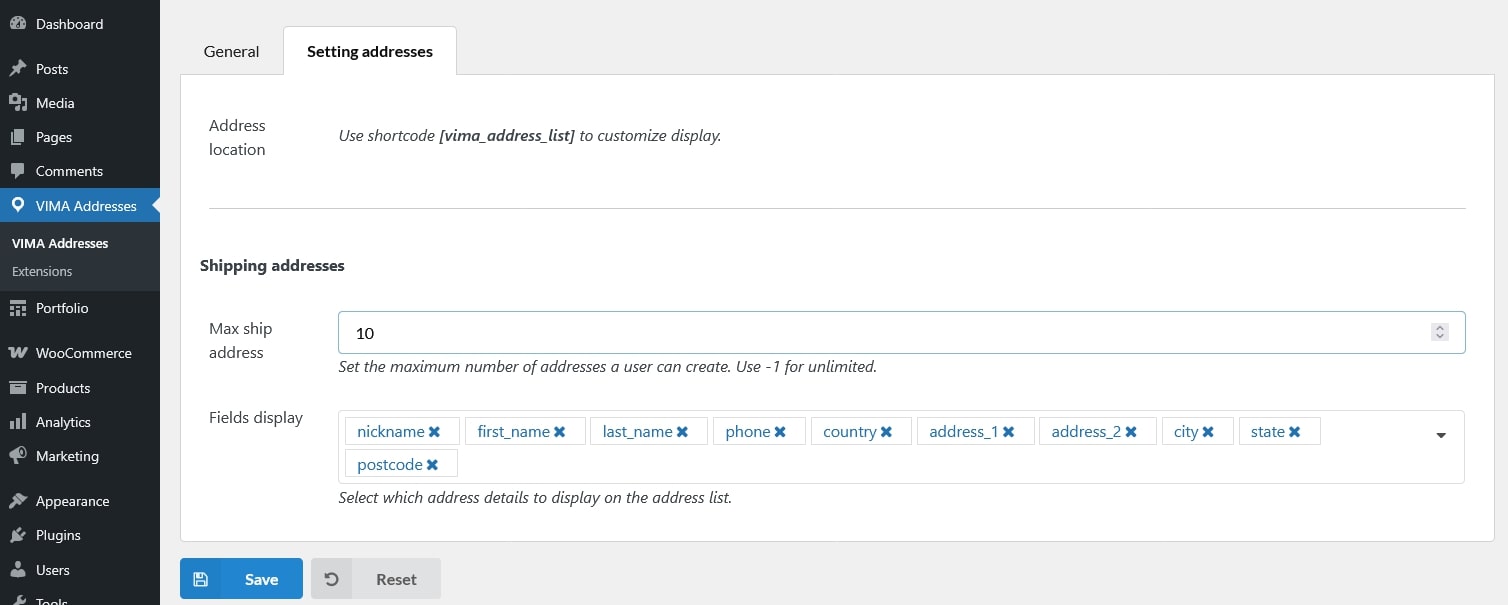
- Address location: Use the shortcode
[vima_address_list]to display the list of saved addresses and the address input form. You can place this shortcode on any page (for example, a custom “My Addresses” page). - Shipping addresses
- Max ship address: Set the maximum number of shipping addresses a customer can create. Use -1 to allow unlimited addresses
- Fields display: Choose which address fields are shown in the address list. Only the selected fields will be displayed to customers. Supported fields include:
- Nickname
- First name
- Last name
- Phone
- Country
- Address line 1
- Address line 2
- City
- State
- Postcode
- Company