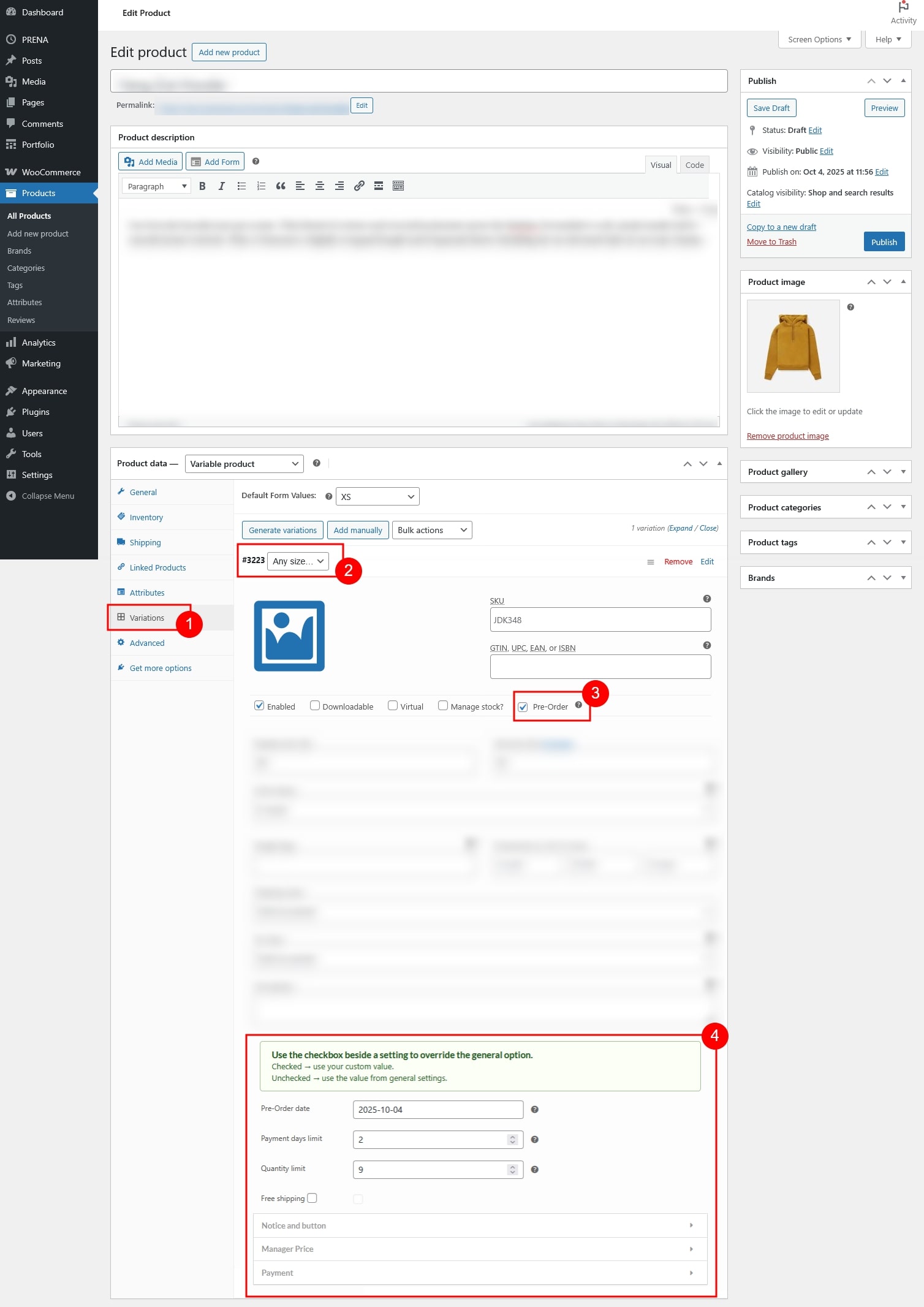
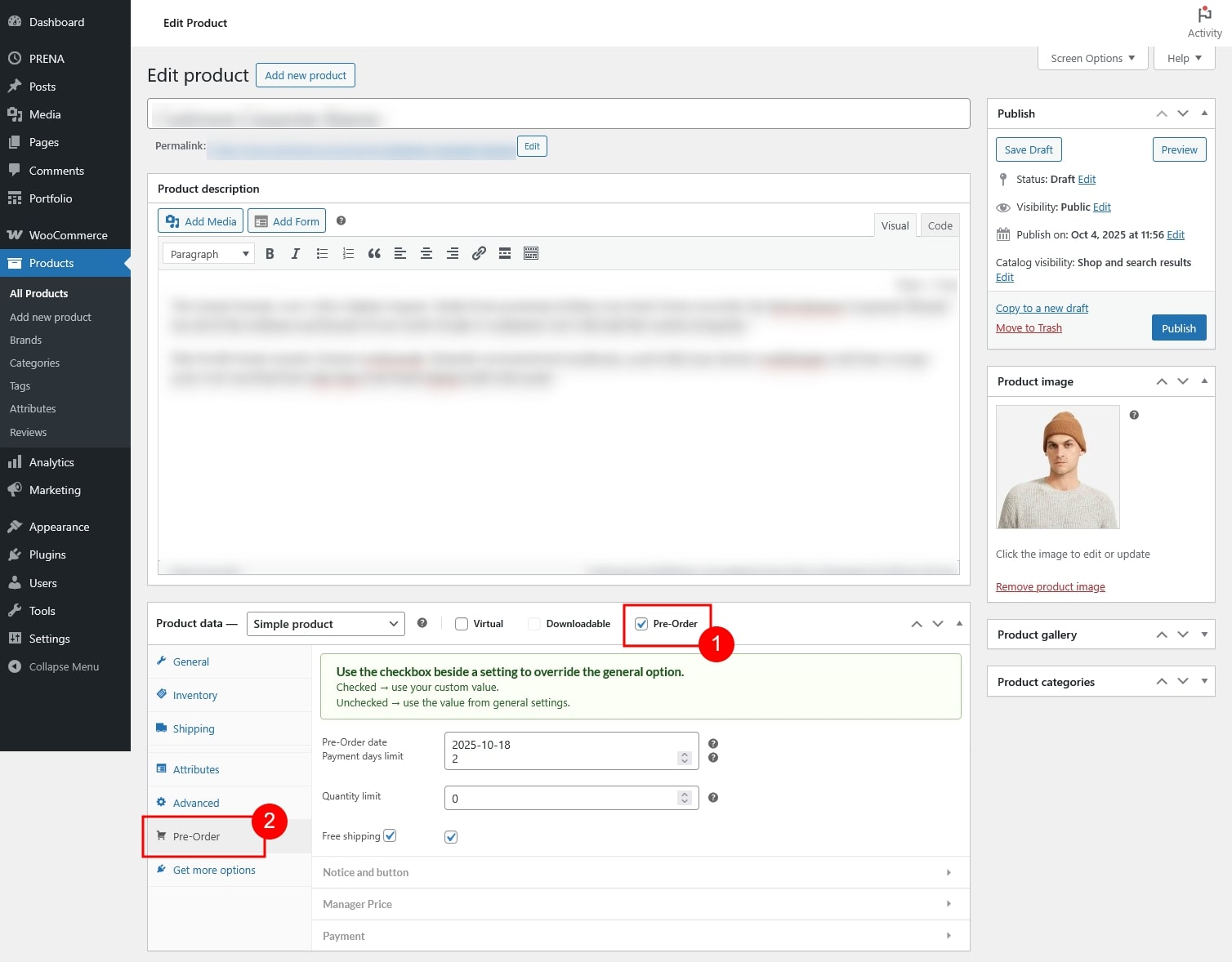
You can configure pre-order options directly from the product editing page in WooCommerce. The settings are available for both simple products and variable products, with the same configuration fields once enabled
- Enable Pre-Order for variable products
- Enable Pre-Order for simple products
- Pre-Order Settings for both
- Availability and Limitations
- Notice and button
- Manager Price
- Payment
VARIABLE PRODUCTS
Check the Pre-Order checkbox for each variation that you want to enable for pre-order.
SIMPLE PRODUCTS
Check the Pre-Order checkbox. A new Pre-Order tab will appear where you can configure settings
Pre-Order Settings
Each product can have its own pre-order configuration. By default, product settings follow the General Pre-order Settings. To customize a specific product, use the checkbox next to each option:
- Checked → Use a custom value for this product
- Unchecked → Use the value from the general settings
Once enabled, the following options are available for both simple and variable products:
Availability and Limitations
- Pre-Order date: Set the date until the product becomes available.
- Payment days limit: Define the maximum number of days allowed for customers to complete payment after placing a pre-order.
- Quantity limit: Restrict how many units can be pre-ordered.
- Free shipping: Enable free shipping for this pre-order product regardless of other shipping rules.
Notice and button
Customize the pre-order button text and product notice.
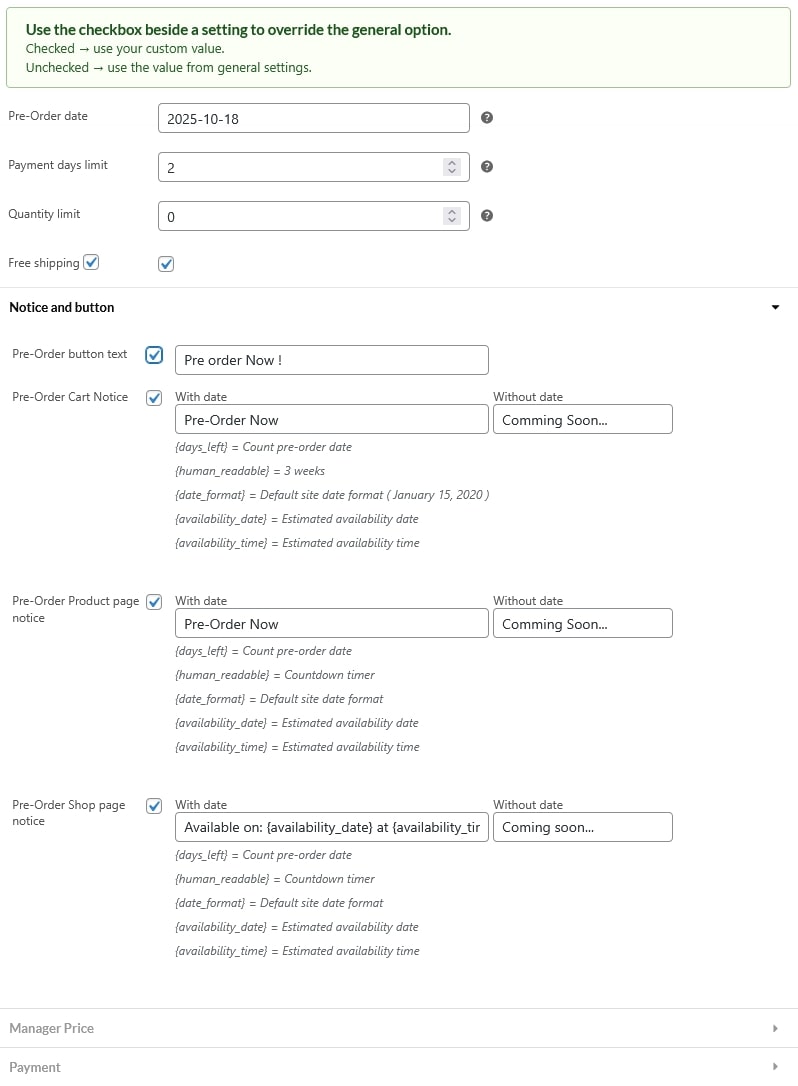
- Pre-Order button text: Label of the Pre-Order button on single product pages
- Pre-Order Cart Notice: Message displayed in the cart when the product is pre-ordered.
- Pre-Order Product page notice: Message shown on the product detail page.
- Pre-Order Shop page notice: Message displayed on shop/archive pages.
Manager Price
Control how the pre-order price is displayed or adjusted.
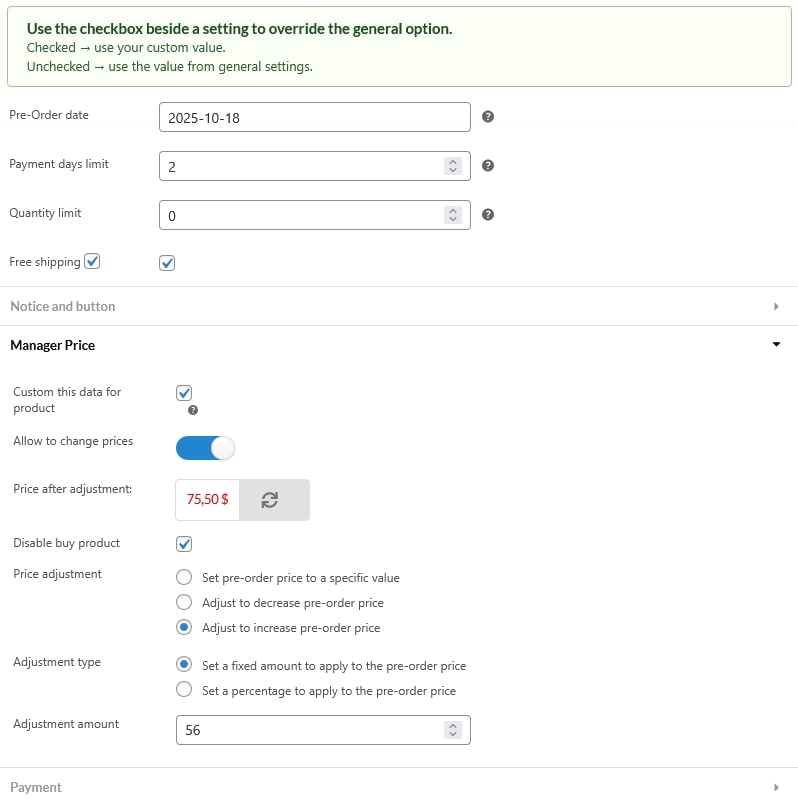
- Custom this data for product: Check this option to enable the settings below it. If disabled, price are calculated by global rule under General settings
- Allow to change prices: Enable pre-order price calculation based on the sale price.
- Price after adjustment: Preview the pre-order price after applying pricing rules. Click the Refresh button whenever you update price calculation rules to see the latest result.
- Disable buy product: Show pre-order pricing but prevent customers from purchasing.
- Price adjustment: Set how the pre-order price is modified:
- Set pre-order price to a specific value
- Adjust to decrease pre-order price
- Adjust to increase pre-order price
- Adjustment type: Apply adjustments as a fixed amount or a percentage.
- Adjustment amount: Enter the exact adjustment value to increase, decrease or set a fixed value for price
Payment
Configure how customers pay for this pre-order product.
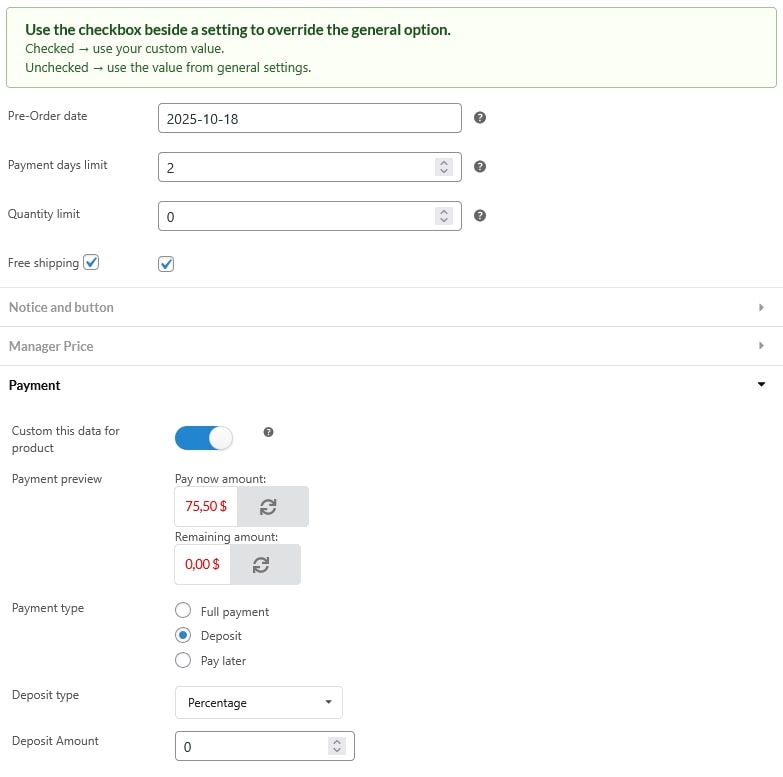
- Custom this data for product: Check this option to enable the settings below it. If disabled, price are calculated by global rule under Payment & Delivery settings
- Payment preview: This section shows a real-time preview of how the pre-order payment will be split.
- Pay Now Amount: The amount the customer is required to pay immediately when placing the pre-order.
- Remaining Amount: The balance that will be paid later, based on the selected payment type and deposit settings.
- Payment Type: Choose between full payment upfront or a deposit.
- Full Payment: Customers pay the full product price when placing the order.
- Deposit: Customers pay a partial amount now, with the balance due later.
- Deposit Type:
- Fixed: Charge a specific fixed amount as the deposit.
- Percentage: Charge a percentage of the product price as the deposit.
- Deposit Amount: Define the deposit value (fixed or percentage).
- Deposit Type:
- Pay Later: Customers will be required to complete the remaining payment once the product becomes available.