Go to Dashboard > WooCommerce > Settings > Rees settings > Basic Designs
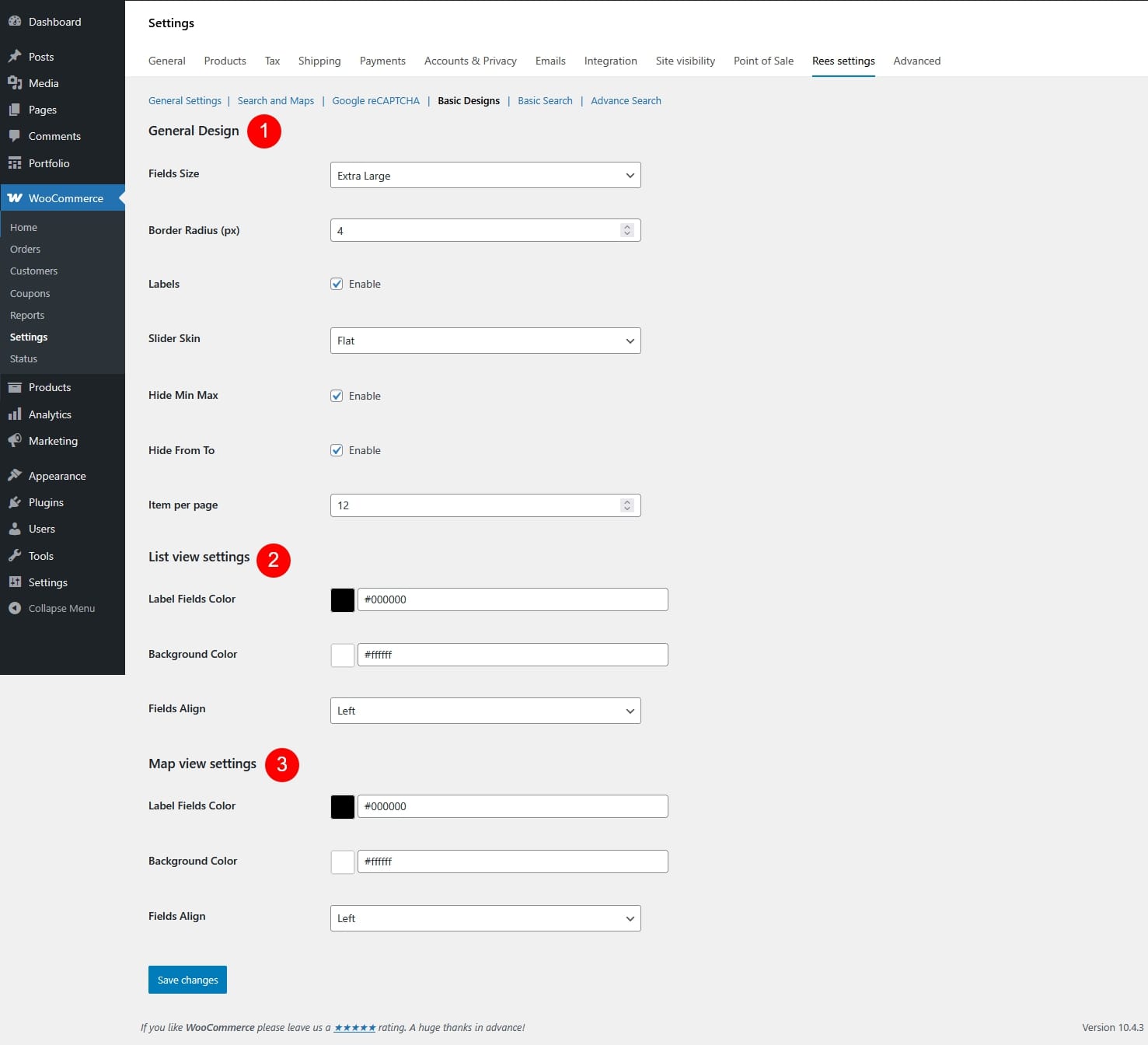
- General Design
- Fields Size: Set the overall size of input fields – small, extra small, medium, large, extra large
- Border Radius (px): Control how rounded the field corners are.
- Labels: Show or hide field labels.
- Slider Skin: Choose the visual style of the range/price slider.
- Flat

- Big

- Modern

- Sharp

- Round

- Square

- Flat
- Hide Min Max: Hide the minimum and maximum values on sliders.
- Hide From To: Hide the “From” and “To” values on sliders.
- Item per page: Set how many items are displayed per page.
- List View Settings
- Label Fields Color: Color of field labels in list view.
- Background Color: Background color of filter fields in list view.
- Fields Align: Align filter fields (left / center / right).
- Map View Settings
- Label Fields Color: Color of field labels in map view.
- Background Color: Background color of filter fields in map view.
- Fields Align: Align filter fields (left / center / right).