In the review table, fields without a lock symbol can be edited directly. Fields that appear greyed out with a lock icon cannot be edited from the table.
There are two ways to edit reviews:
Bulk Edit Reviews
Use bulk editing when you want to update multiple reviews at once. You can
- Select multiple cells, rows, or entire a columns
- Right-click to choose one of the available actions.
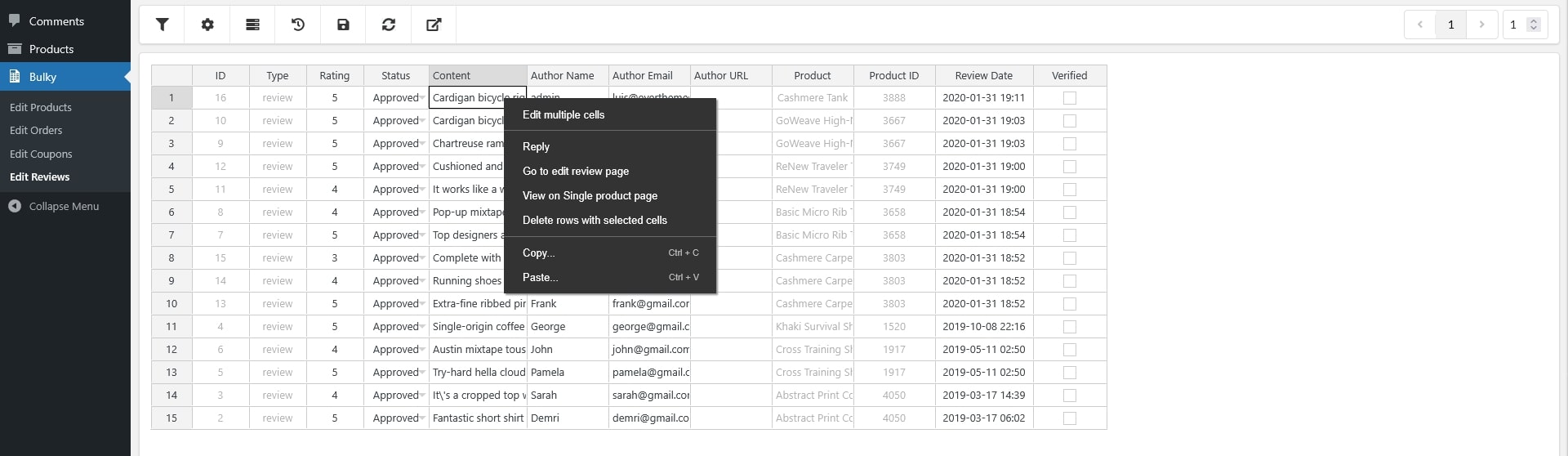
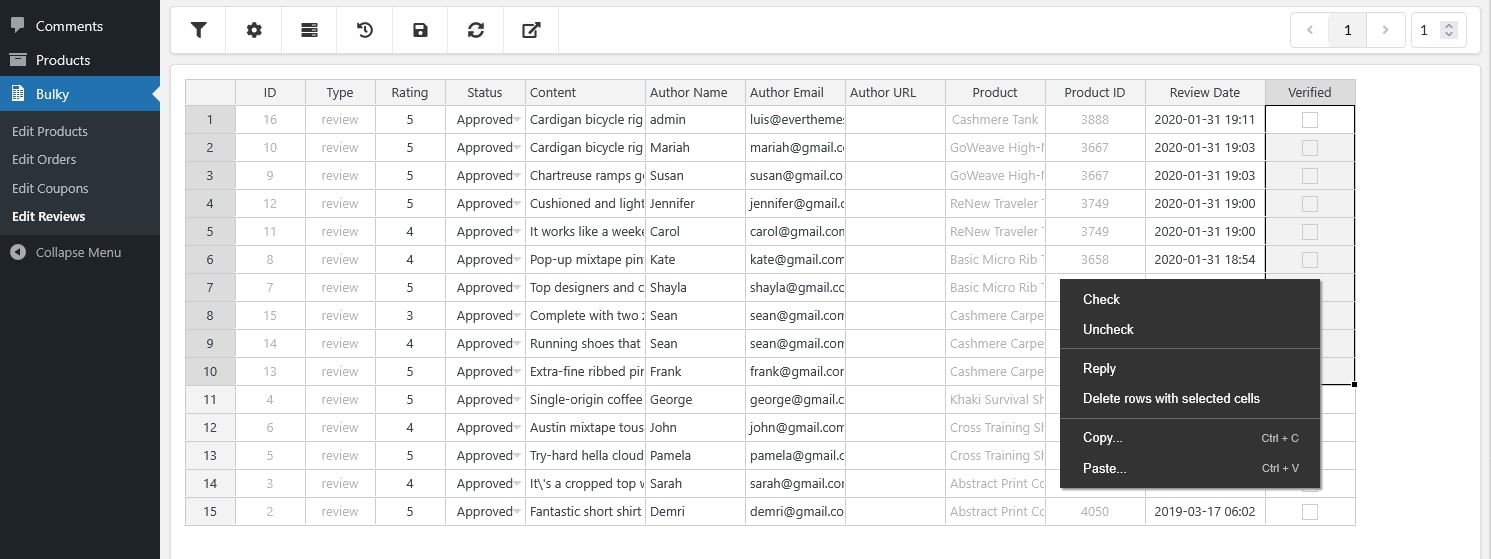
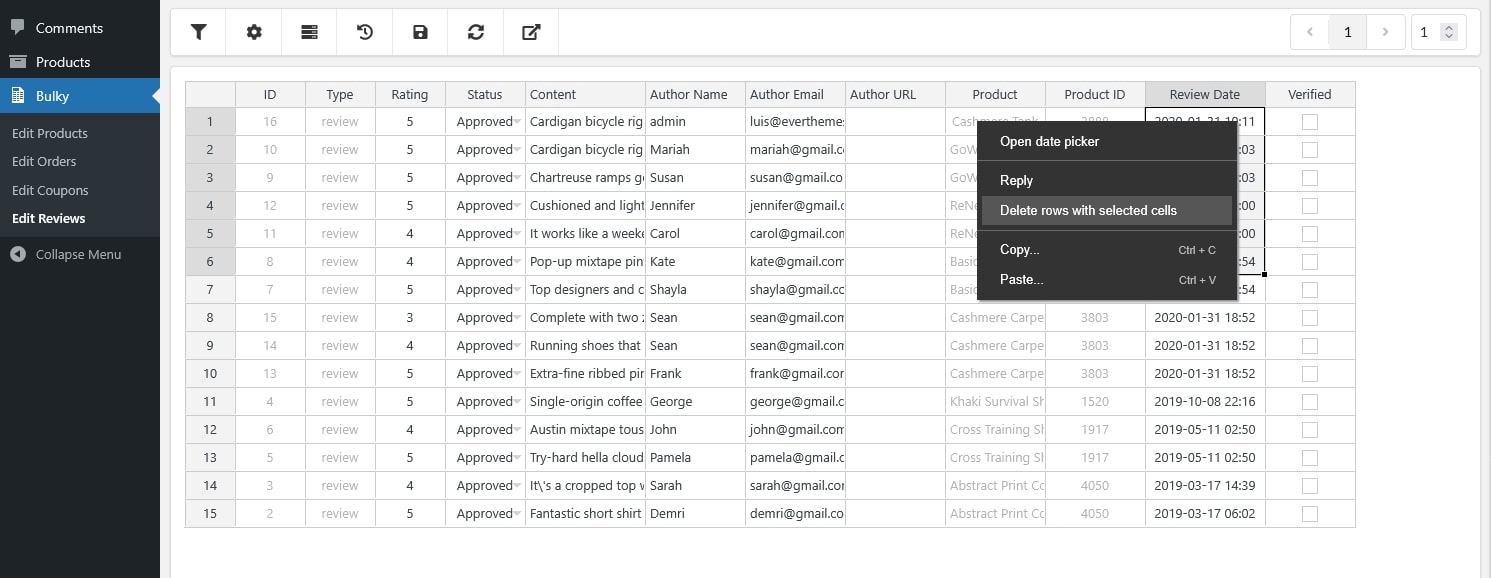
Bulk Edit Options
- Edit multiple cells: Select several cells and apply changes to all at once.
- Reply: Add a reply to the selected review(s).
- Find and Replace: Search for specific text within the selected cells and replace it with new content.
- Go to Edit Review Page: Open the full review edit screen for the selected review.
- View Post: Open the product page where the review appears.
- Delete rows with selected cells: Remove the selected reviews.
- Copy/Paste: Copy selected data and paste it into other editable cells.
- Open date picker: Adjust the Review Date using the pop-up calendar.
- Check/Uncheck: Change the Verified status.
- Bulk editing is the fastest way to update large numbers of reviews in one action.
Edit Each Review Individually
You can also edit each review field directly, one review at a time. Editable fields include:
- Rating: from 1 to 5 stars
- Status: Pending, Approved or Spam
- Content: Edit review content in a Text editor
- Author name: Edit author name in a Text input field
- Author email: Edit author email in a Text input field
- Author URL: Add/Edit author URL in a Text input field
- Review date: Update review published date with a date picker
- Verified status: Check to make one ‘verified’ and vice versa
These fields match the options available in WooCommerce’s default review edit page, giving you complete control over individual review details.