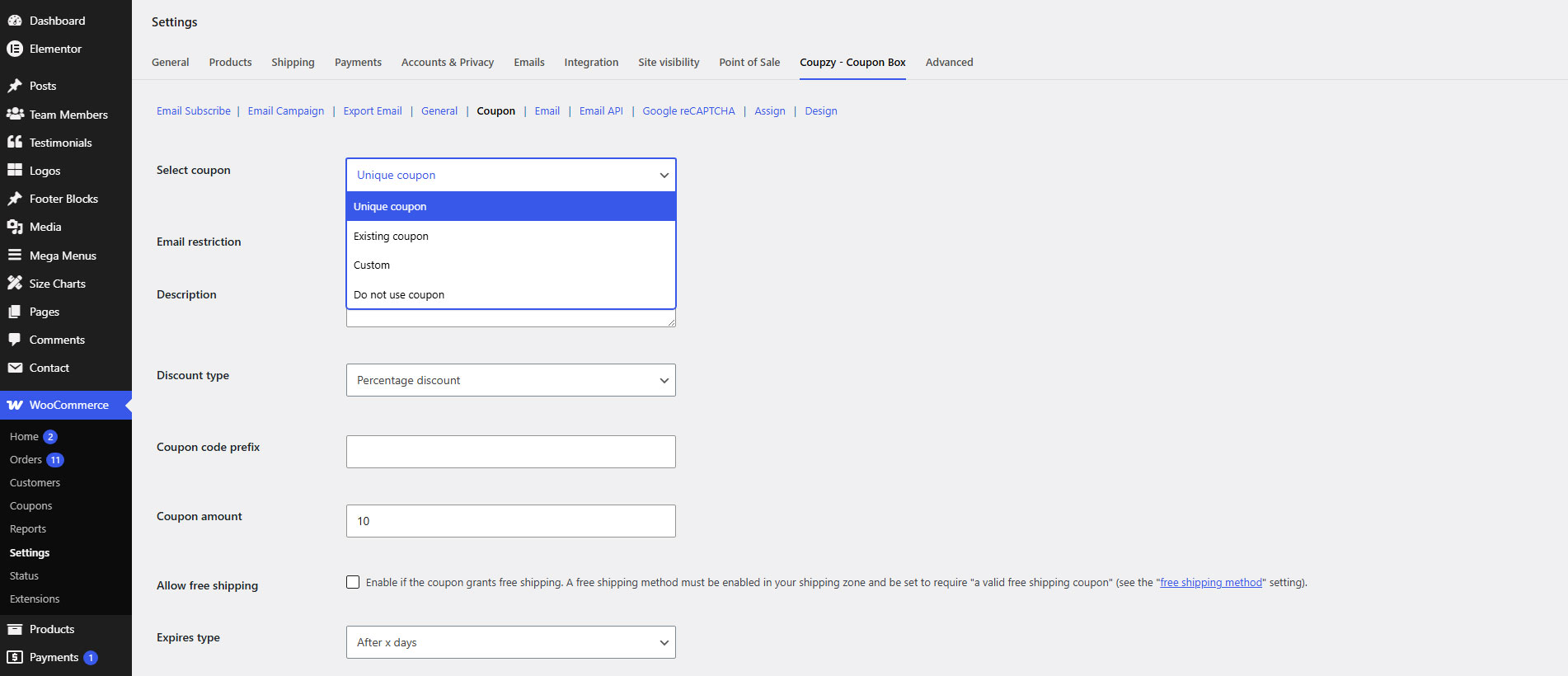
To start using WooCommerce Coupon Box, please go to WooCommerce/ Settings/ Coupzy – Coupon Box
In Coupon Tab, set up the coupon type and amount you would like to give to subscribe and save.
Now the coupon box should appear on your homepage.
To start using WooCommerce Coupon Box, please go to WooCommerce/ Settings/ Coupzy – Coupon Box
In Coupon Tab, set up the coupon type and amount you would like to give to subscribe and save.
Now the coupon box should appear on your homepage.