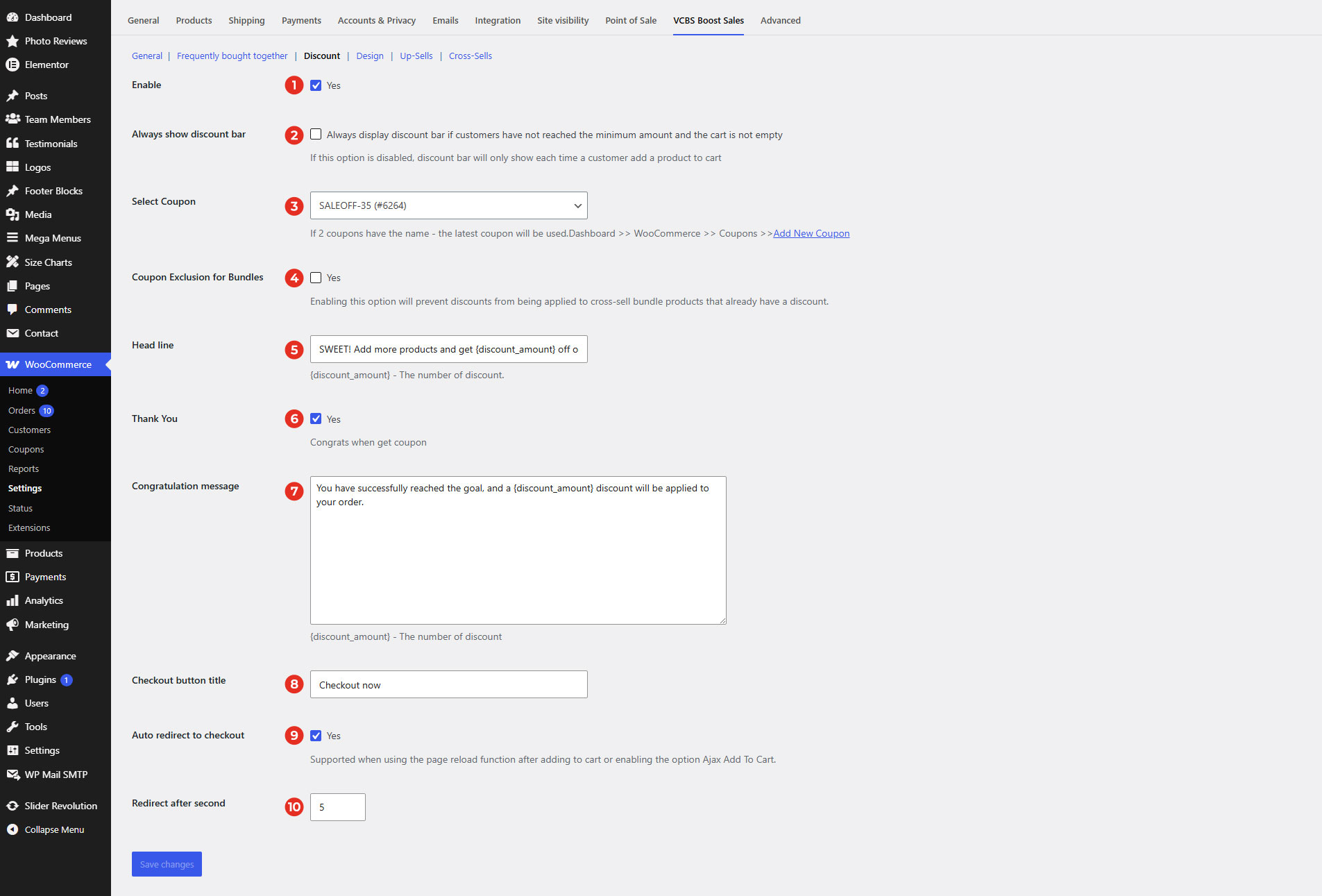
Always show discount bar: Always display discount bar if customers have not reached the minimum amount and the cart is not empty.
Select Coupon: Choose coupon discount to display on the process bar.
Coupon Exclusion for Bundles: Enable this option to prevent additional discounts from being applied to cross-sell bundle products that already have a discount. This ensures that discounted bundle products are not discounted twice, helping you maintain accurate pricing and avoid unintended price reductions.
Head line: The short message when a customer adds a product to Cart. Example: SWEET! Add more products and get {discount_amount} off on your entire order!
Thank You: Turn on to send a thank customer when they achieve the minimum order to get the discount.
Congratulation message: Message appears when customer’s cart reaches to min amount and win a discount.
Checkout button title: Type text on the button that will link to the checkout page.
Auto redirect checkout: Turn on to automatically redirect checkout page when the customer achieves minimum discount.
Redirect after second: Enter the number of seconds to wait before users are automatically redirected to the checkout page after customer achieves minimum discount.