The Design settings allow you to control how coupons, badges, promotion messages, and the coupon bar appear on the frontend.
Changes are reflected in the live preview where available.
Voucher
Coupons are shown on pages like:
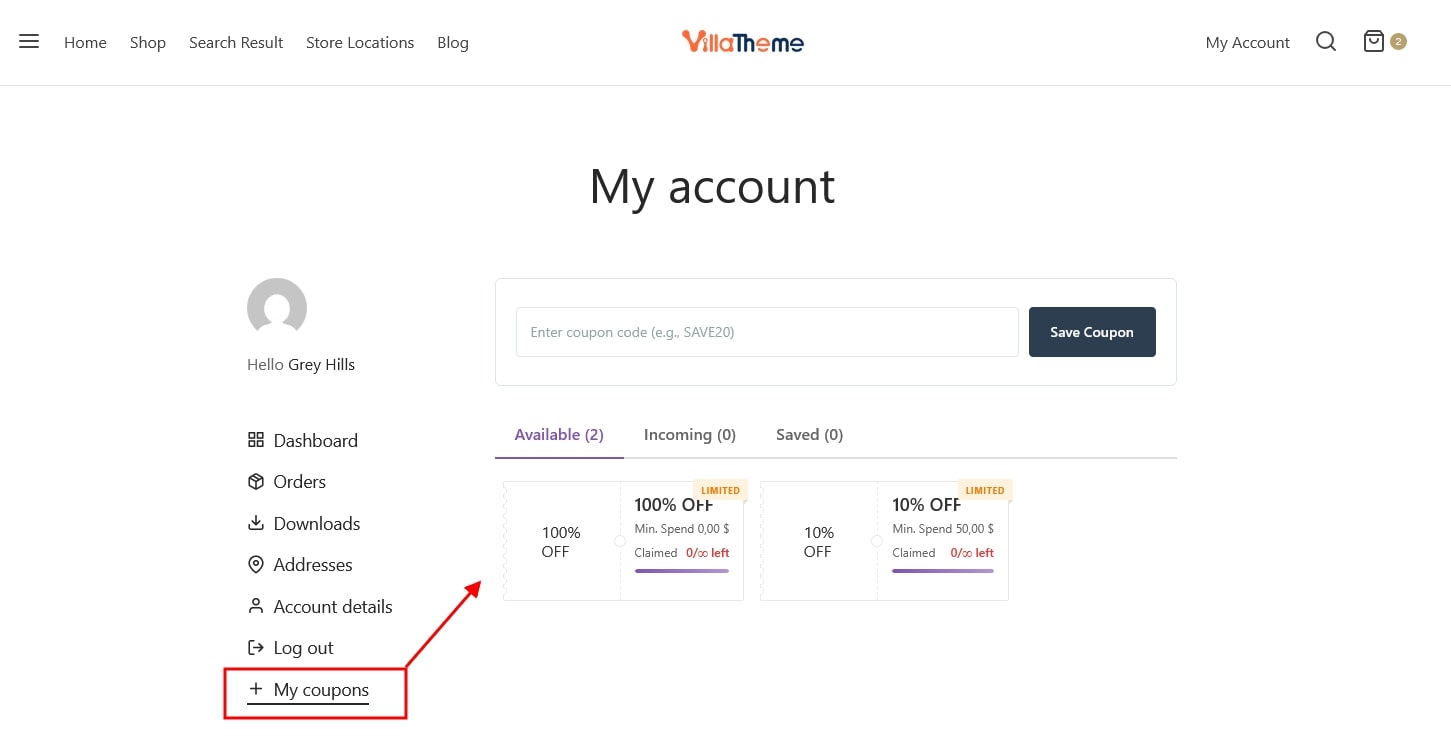
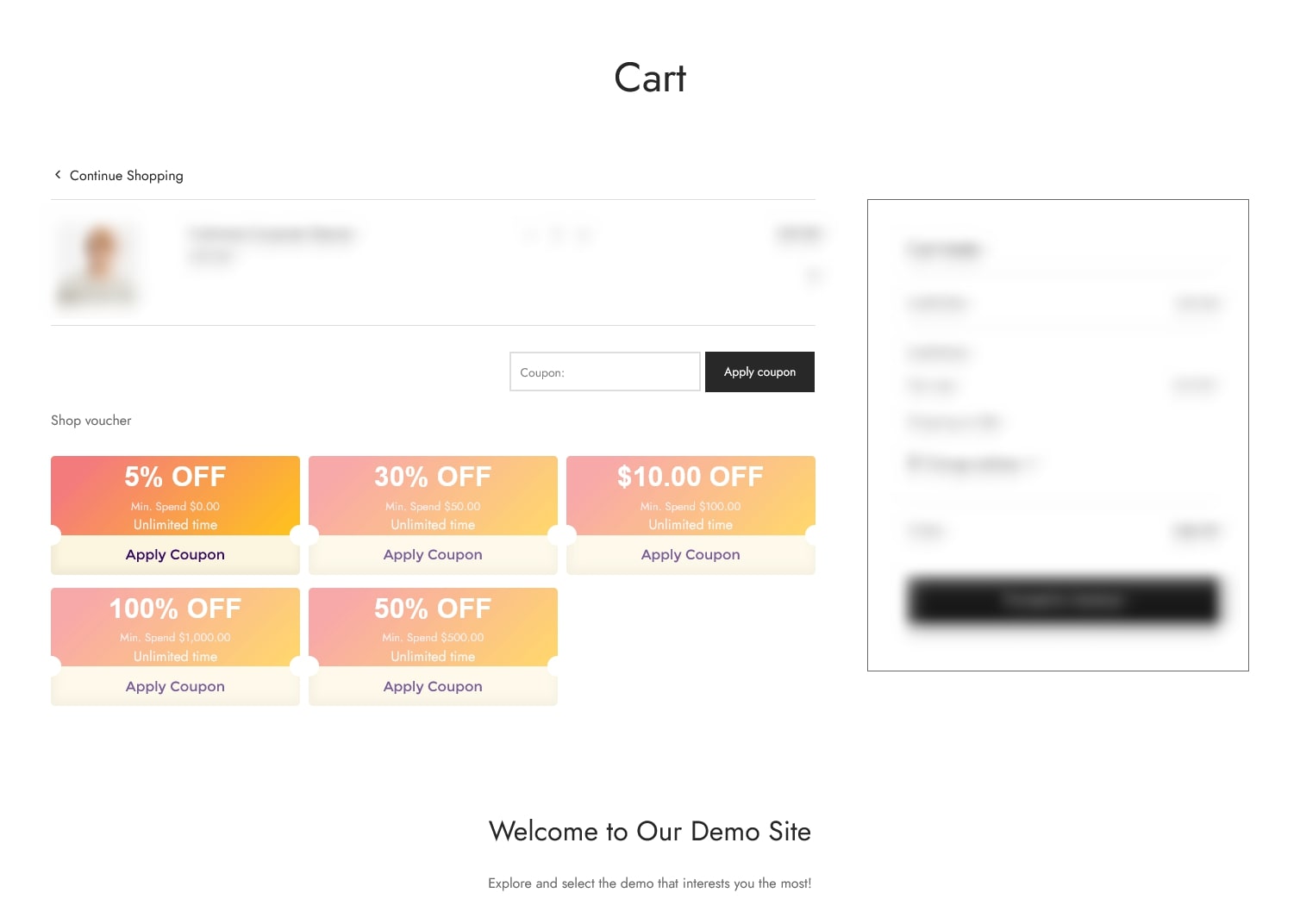
These settings control the visual appearance and content of coupon vouchers displayed to customers.
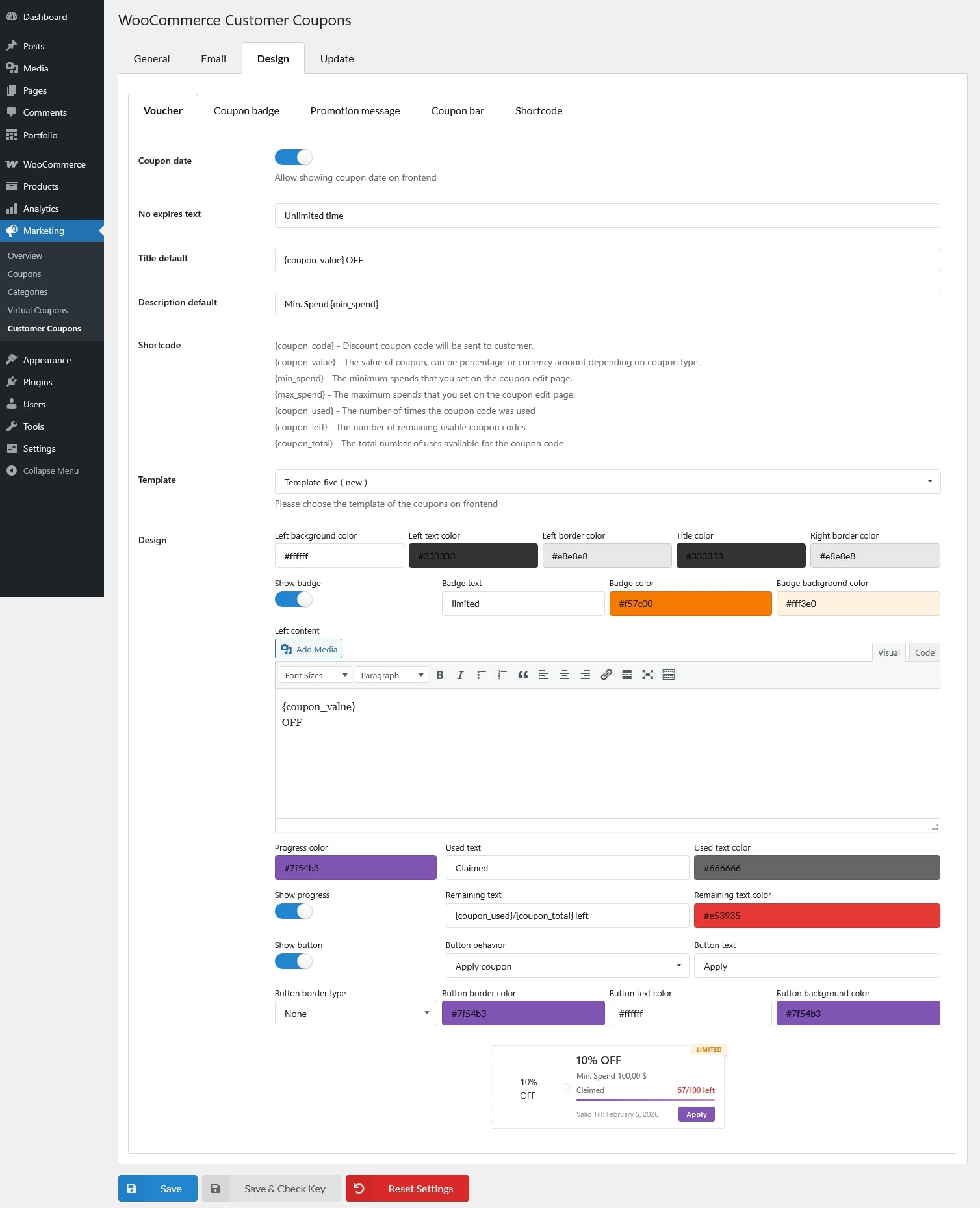
- Coupon date: Show the coupon expiration date on the voucher.
- No expires text: Text displayed when the coupon does not have an expiration date.
- Title default: Default title used when a coupon does not have a custom title.
- Description default: Default description used when a coupon does not have a custom description.
- Shortcode: Supported placeholders include
- {coupon_code} – Discount coupon code will be sent to customer.
- {coupon_value} – The value of coupon, can be percentage or currency amount depending on coupon type.
- {min_spend} – The minimum spends that you set on the coupon edit page.
- {max_spend} – The maximum spends that you set on the coupon edit page.
- {coupon_used} – The number of times the coupon code was used
- {coupon_left} – The number of remaining usable coupon codes
- {coupon_total} – The total number of uses available for the coupon code
- Template: Choose one of the six built-in templates and customize its related settings. Changes are reflected instantly in the preview.
- Design: Adjust the options below to see real-time updates in the preview.
Coupon badge
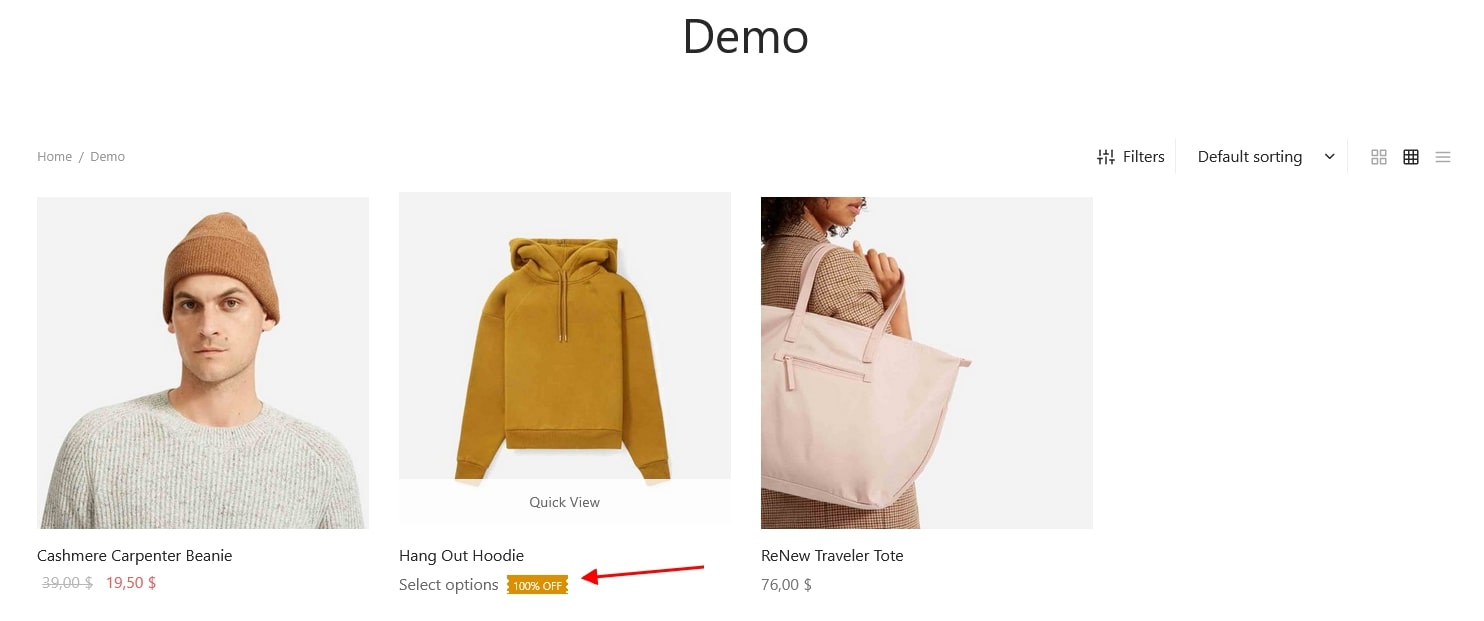
Configure discount badges shown on product listing pages.
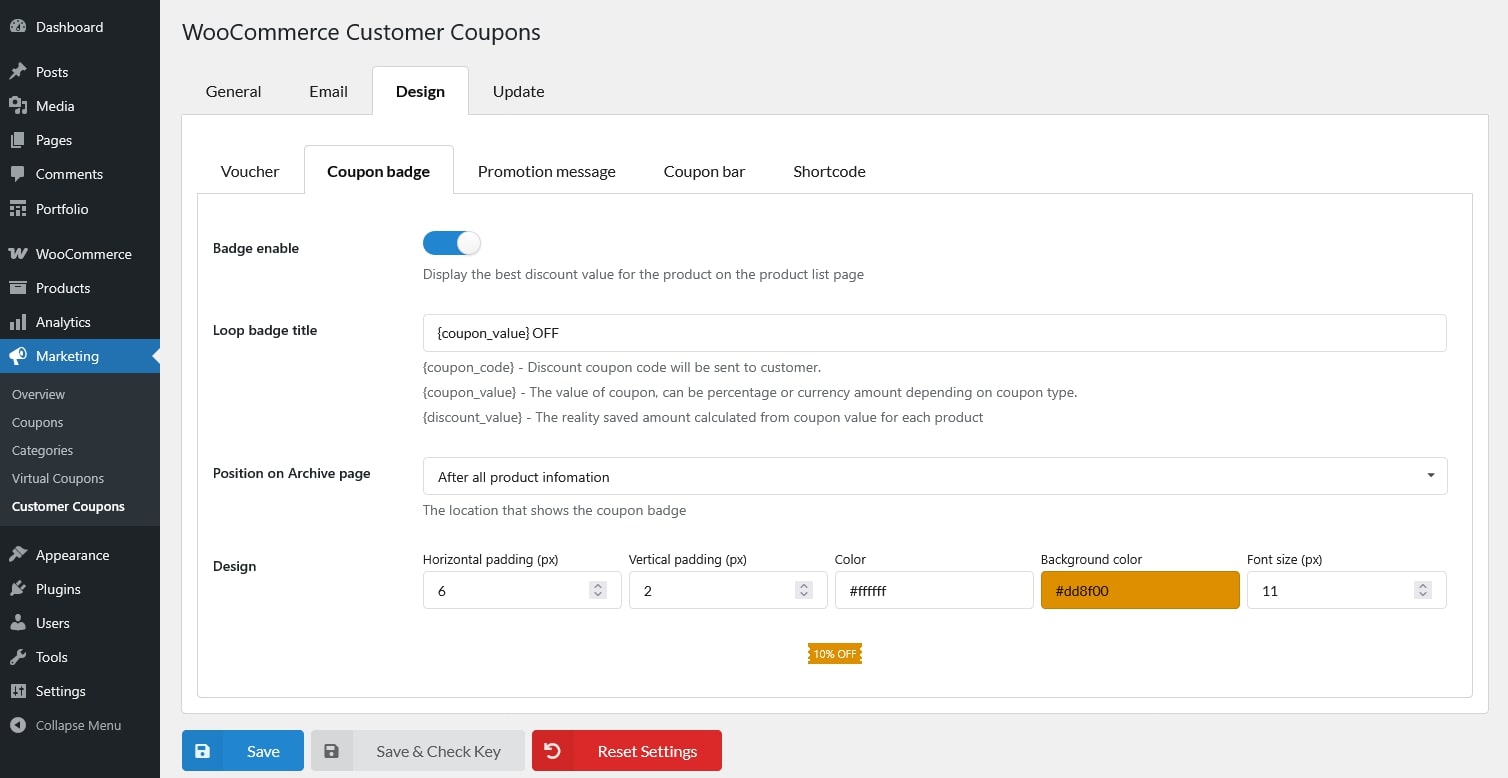
- Badge enable: Display the best discount value for the product on the product list page
- Loop badge title: Text displayed inside the badge.
- Position on Archive page: Choose where the badge appears on the product card.
- Before product title
- After product title
- After product price
- After all product information
- Design: Customize badge appearance with live preview.
- Horizontal padding (px)
- Vertical padding (px)
- Color
- Background color
- Font size (px)
Promotion message
Control promotion message and/or promotion list shown on single product pages.
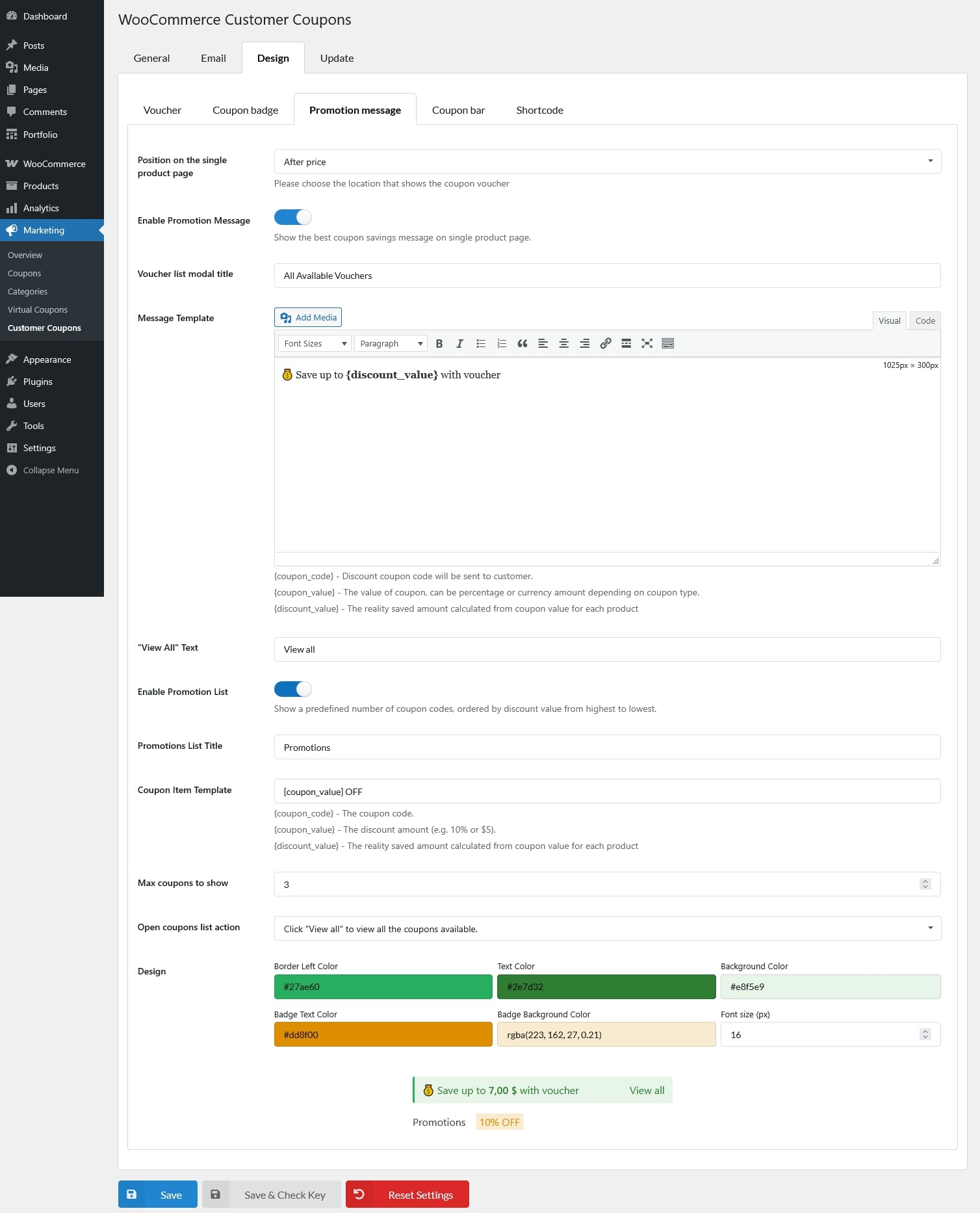
- Position on the single product page: Select where the promotion message appears on the product page.
- Not show
- Before title
- After title
- After price
- Before cart
- After cart
- After product Meta
- Enable Promotion Message: Show a message highlighting the best available coupon savings.
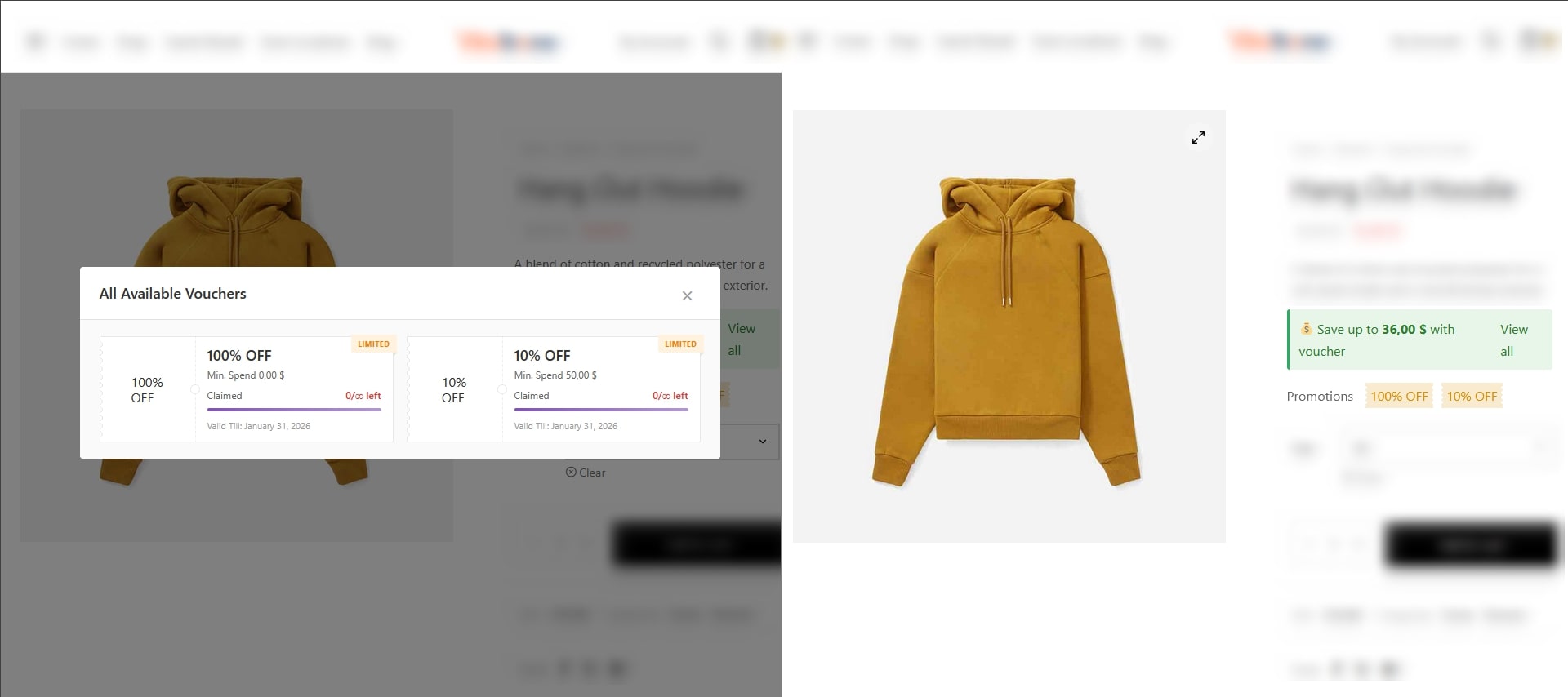
- Voucher list modal title: Title displayed at the top of the coupon list popup.
- Message Template: Content template for the promotion message.
- “View All” Text: Text for the link that opens the full coupon list.
- Enable Promotion List: Display a list of available coupons ordered by discount value.
- Promotions List Title: Title displayed above the coupon list.
- Coupon Item Template: Text for each coupon in the promotion list.
- Max coupons to show: Maximum number of coupons displayed in the list.
- Open coupons list action: Choose how customers open the coupon list (click or hover).
- Click “View all” to view all the coupons available.
- Hover promotion message to view all the coupons available.
- Design: Customize promotion message and list appearance with live preview.
Coupon bar
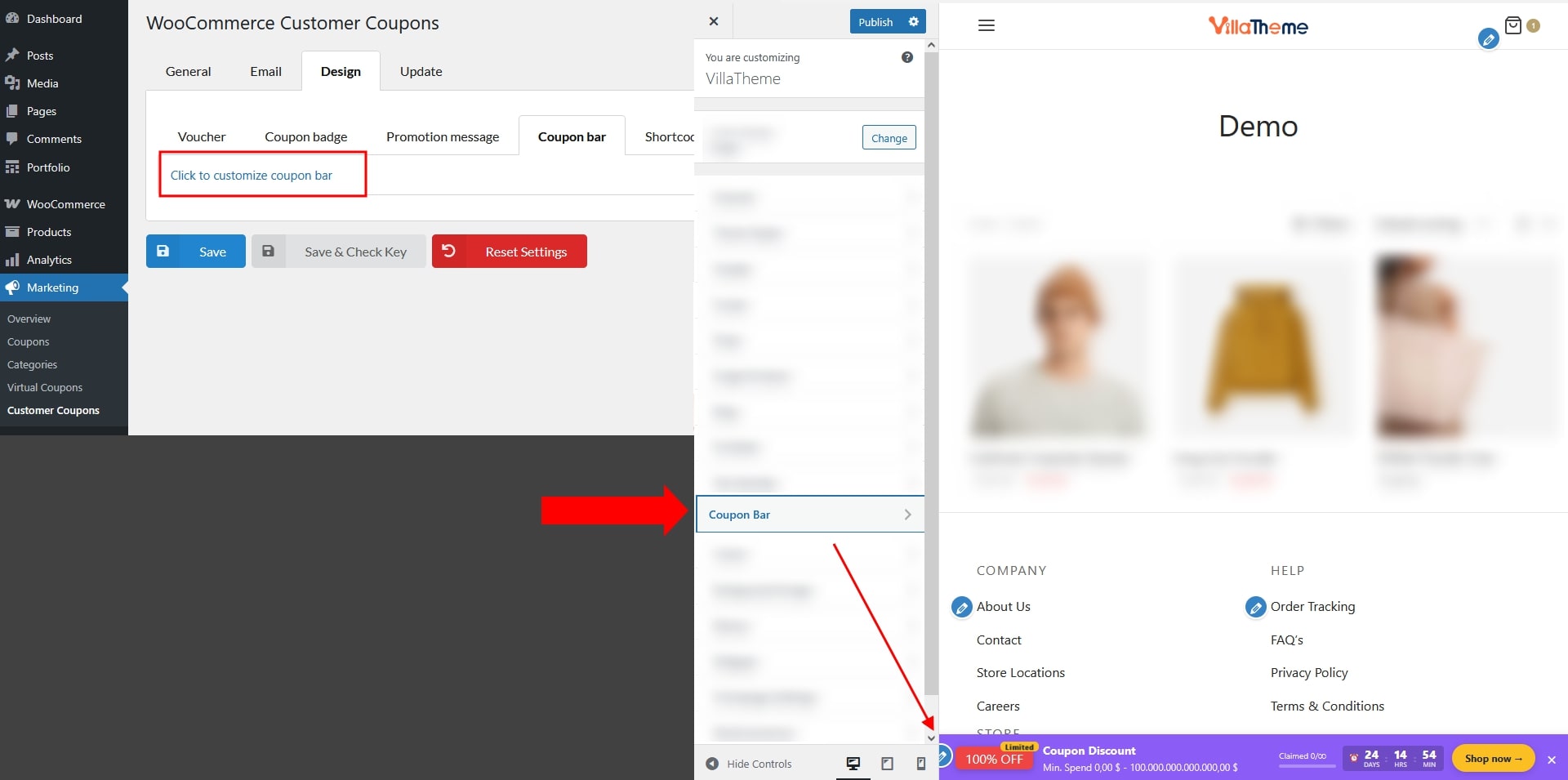
The coupon bar is a floating bar displayed at the top or bottom of the page. You can access it via:
- Dashboard → Marketing → Customer Coupons → Design → Coupon Bar
- Or WordPress Customizer → Coupon Bar
Hover over any section in the preview and click it to open the corresponding settings panel.
General Settings
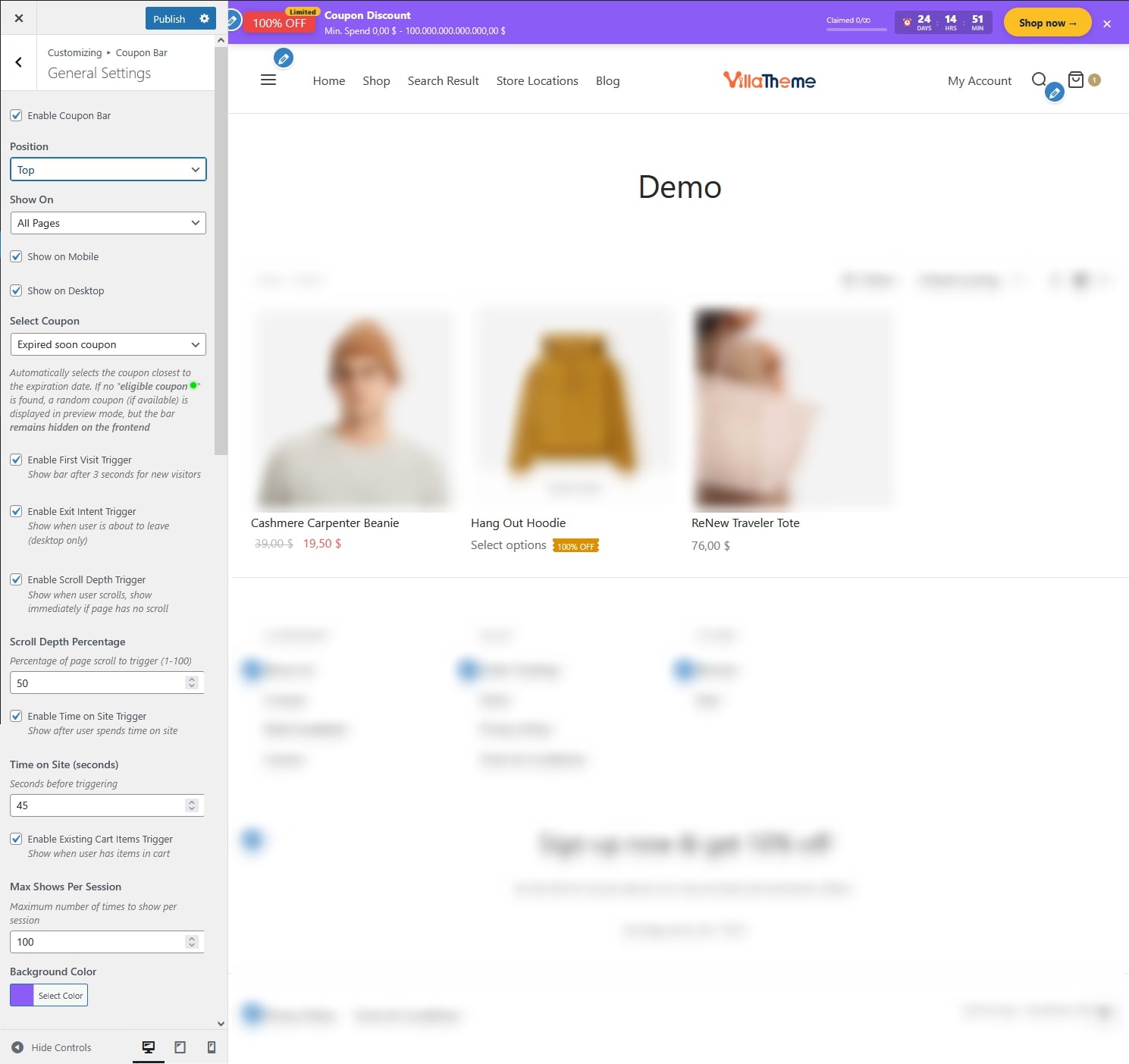
- Enable Coupon Bar: Turn the coupon bar on or off.
- Position: Display the bar at the top or bottom of the page.
- Show on: Choose where the coupon bar appears:
- All Pages
- Shop Pages Only
- Product Pages Only
- Homepage Only
- Custom Pages: Enter Custom Page URLs – One URL per line (e.g., /shop, /category/electronics)
- Show on Mobile: Display the coupon bar on mobile devices.
- Show on Desktop: Display the coupon bar on desktop devices.
- Select Coupon: Choose which coupon to display:
- Expired soon coupon: Automatically selects the coupon closest to the expiration date. If no “eligible coupon ” is found, a random coupon (if available) is displayed in preview mode, but the bar remains hidden on the frontend
- Select specific coupon: Manually choose a coupon by title – Fill in to Select custom coupon field
- Enable First Visit Trigger: Show bar after 3 seconds for new visitors
- Enable Exit Intent Trigger: Show when user is about to leave (desktop only)
- Enable Scroll Depth Trigger: Show the coupon bar when the visitor scrolls down the page, show immediately if page has no scroll
- Scroll Depth Percentage: Percentage of page scroll to trigger (1-100)
- Enable Time on Site Trigger: Display the coupon bar after the visitor has spent a certain amount of time on the site
- Time on Site (seconds): Seconds before triggering
- Enable Existing Cart Items Trigger: Show when user has items in cart
- Max Shows Per Session: Maximum number of times the coupon bar can be shown to a visitor during a single session.
- Background Color: Background color of the coupon bar.
Coupon bar content
- Available Shortcodes: List of supported placeholders for coupon bar content.
- {coupon_code} — Discount coupon code will be sent to customer.
- {coupon_value} — The value of coupon, can be percentage or currency amount depending on coupon type.
- {min_spend} — The minimum spends that you set on the coupon edit page.
- {max_spend} — The maximum spends that you set on the coupon edit page.
- {coupon_used} — The number of times the coupon code was used
- {coupon_left} — The number of remaining usable coupon codes
- {coupon_total} — The total number of uses available for the coupon code
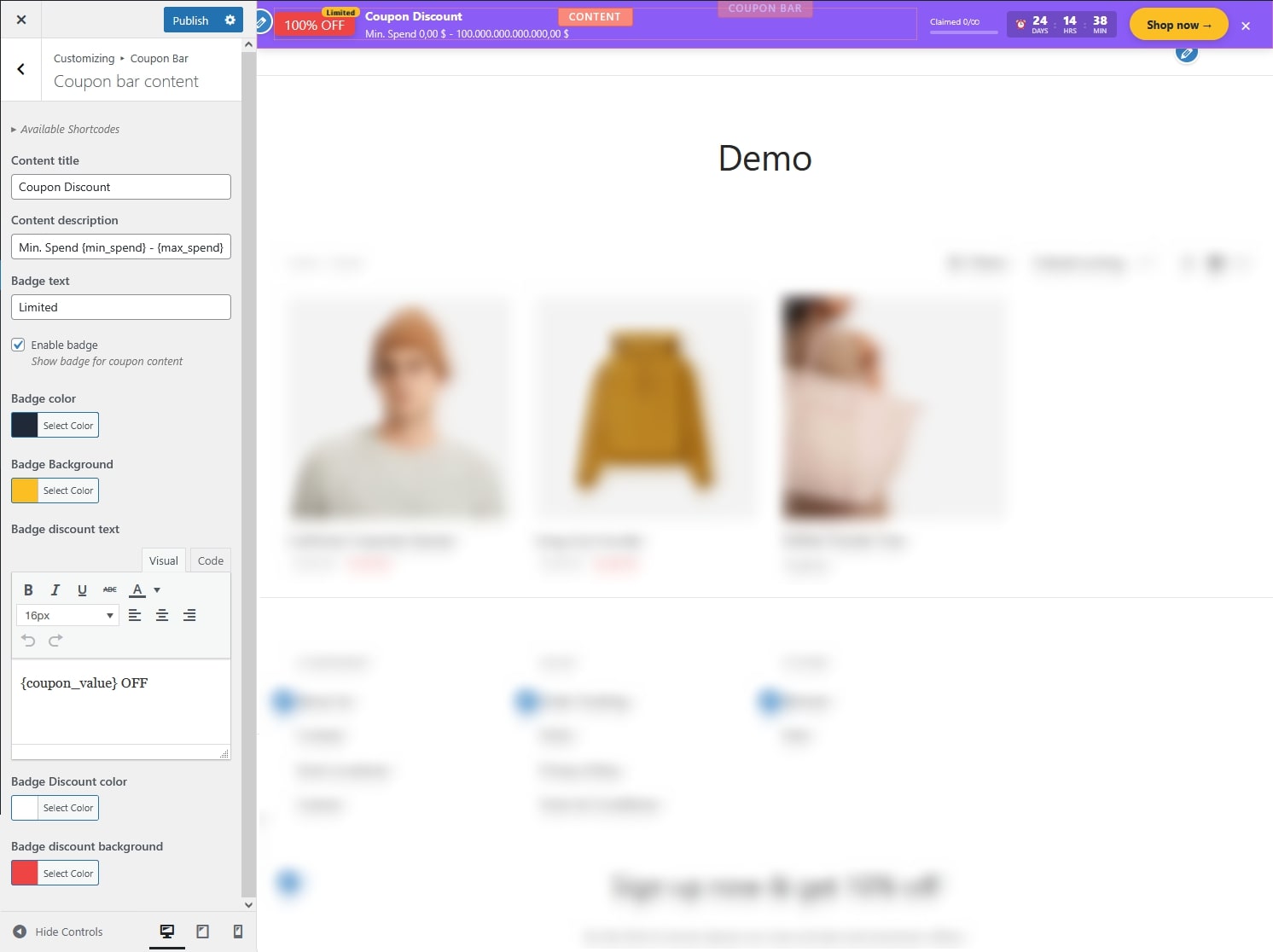
- Content title: Main title displayed in the coupon bar.
- Content description: Description text displayed in the coupon bar.
- Badge text: Text displayed inside the small badge on top of the “Badge discount”.
- Enable badge: Show a small badge on the coupon bar, on top of the “Badge discount”.
- Badge color: Badge text color.
- Badge Background: Badge background color.
- Badge discount text: Text displaying the “Badge Discount”, commonly to show the discount value.
- Badge Discount color: Badge Discount text color.
- Badge discount background: Badge Discount background color.
Coupon bar meta
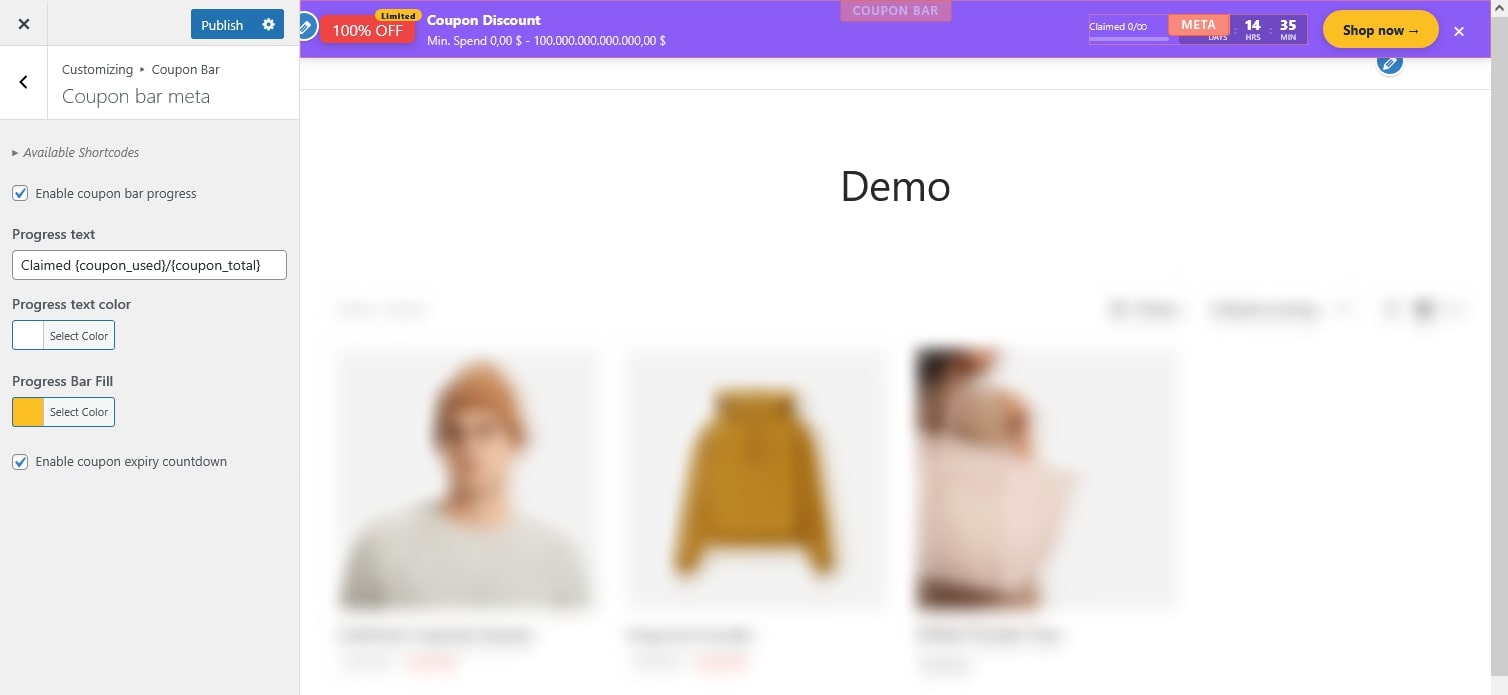
This may include a progress section with a “Claimed” indicator showing the usage limit per coupon, the number of times or orders it has been successfully used, a progress bar and/or a countdown timer.
- Available Shortcodes: Placeholders supported for meta information.
- {coupon_code} — Discount coupon code will be sent to customer.
- {coupon_used} — The number of times the coupon code was used
- {coupon_left} — The number of remaining usable coupon codes
- {coupon_total} — The total number of uses available for the coupon code
- Enable coupon bar progress: Show coupon usage progress in the bar.
- Progress text: Text displayed next to the progress indicator.
- Progress text color: Color of the progress text.
- Progress Bar Fill: Fill color of the progress bar.
- Enable coupon expiry countdown: Display a countdown timer until coupon expiration.
Coupon bar action
- Available Shortcodes: Supported placeholders for action content.
- {coupon_code} — Discount coupon code will be sent to customer.
- {coupon_value} — The value of coupon, can be percentage or currency amount depending on coupon type.
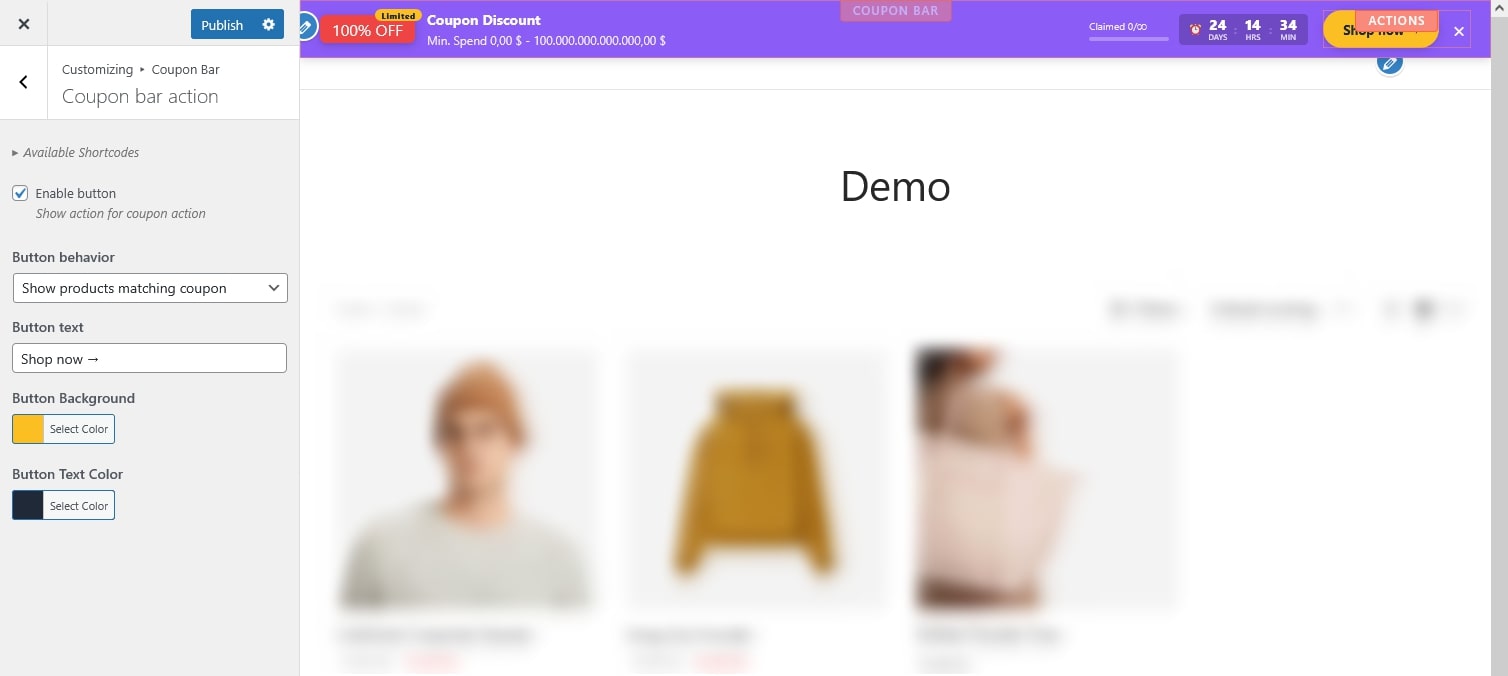
- Enable button: Display an action button in the coupon bar.
- Button behavior: Choose what happens when the button is clicked.
- Copy text
- Redirect to specific page
- Show products matching coupon
- Button text: Text displayed on the button.
- Button Background: Background color of the button.
- Button Text Color: Text color of the button.
Shortcode
there’re 2 follwoing shortcode. copy them using the copy button in the settings page. each comes with list of param/attribute you can add
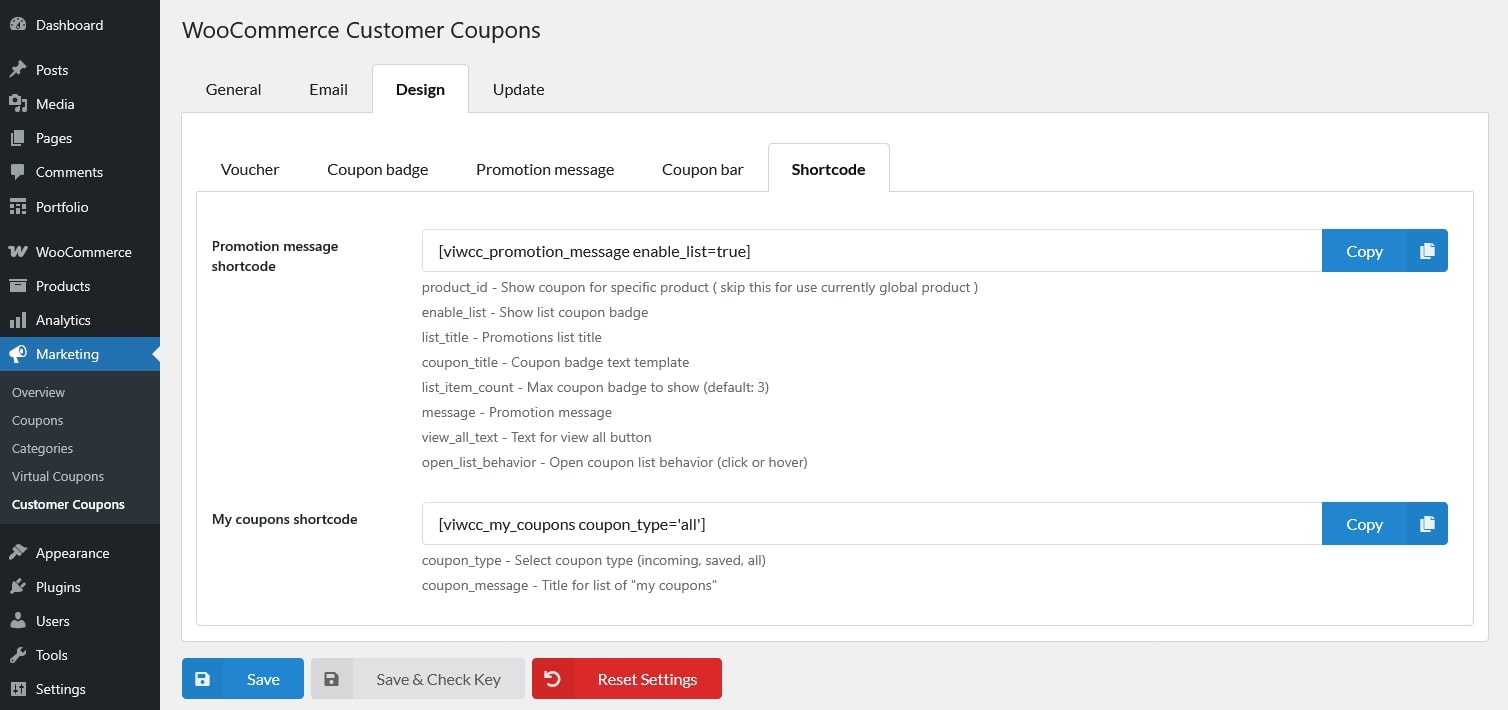
- Promotion message shortcode
- product_id – Show coupon for specific product ( skip this for use currently global product )
- enable_list – Show list coupon badge
- list_title – Promotions list title
- coupon_title – Coupon badge text template
- list_item_count – Max coupon badge to show (default: 3)
- message – Promotion message
- view_all_text – Text for view all button
- open_list_behavior – Open coupon list behavior (click or hover)
- My coupons shortcode
- coupon_type – Select coupon type (incoming, saved, all)
- coupon_message – Title for list of “my coupons”