These settings control the email sent to customers when a coupon is published or updated with the “Send email” option enabled.
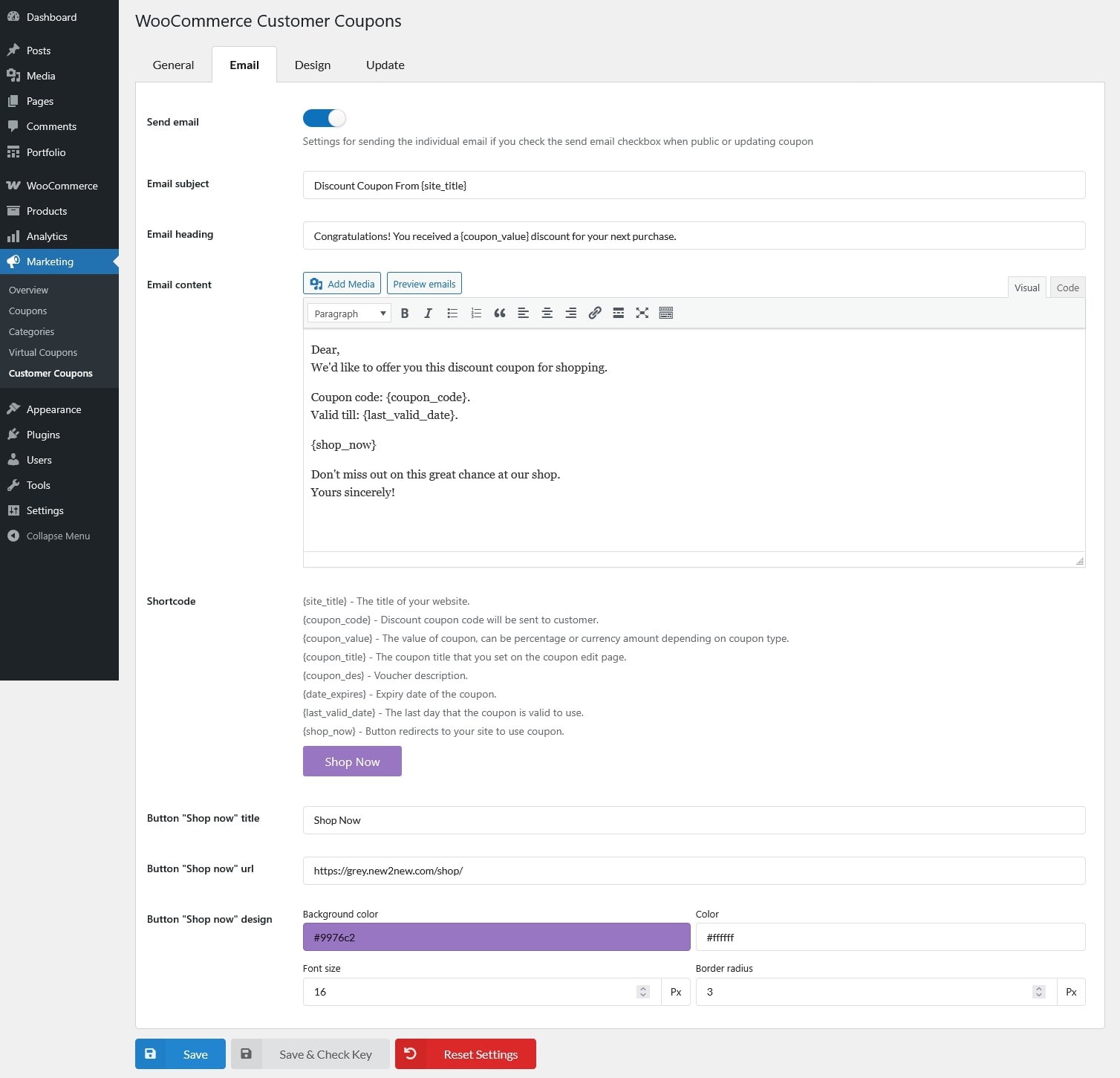
- Send email: When a coupon is restricted using the Allowed emails option, an email will be sent to those email addresses when the coupon is created. An email will also be sent again if the coupon is updated.
- Email subject: The subject line of the coupon email.
- Email heading: The main heading displayed at the top of the email content.
- Email content: The main body of the email. You can:
- Add images and media
- Write content using the visual or code editor
- Use supported placeholders listed in the Shortcode section
- Preview the email before saving
- Shortcode: A list of supported placeholders that can be used in the email subject and content.
- {site_title} – The title of your website.
- {coupon_code} – Discount coupon code will be sent to customer.
- {coupon_value} – The value of coupon, can be percentage or currency amount depending on coupon type, are replaced with real values when the email is sent.
- {coupon_title} – The coupon title that you set on the coupon edit page.
- {coupon_des} – Voucher description.
- {date_expires} – Expiry date of the coupon.
- {last_valid_date} – The last day that the coupon is valid to use.
- {shop_now} – Button redirects to your site to use coupon, includes a live preview displayed directly below its placeholders.
- Button “Shop now” title: Text displayed on the button.
- Button “Shop now” url: The destination URL customers are redirected to when clicking the button.
- Button “Shop now” design: Customize the button appearance. Changes are reflected immediately in the preview.
- Background color
- Color
- Font size
- Border radius