Virtual Coupons (generated via Bulk Alias) are single-use coupon codes created from an existing coupon.
All settings are inherited from the original (parent) coupon.
Steps
- Go to Dashboard → Marketing → Coupons.
- Choose the coupon you want to use as the parent coupon.
- Click Bulk Aliases under the coupon name.
- Configure the options in the popup:
- Quantity
- Prefix (optional)
- Suffix (optional)
- Random length
- Click Generate & Download.
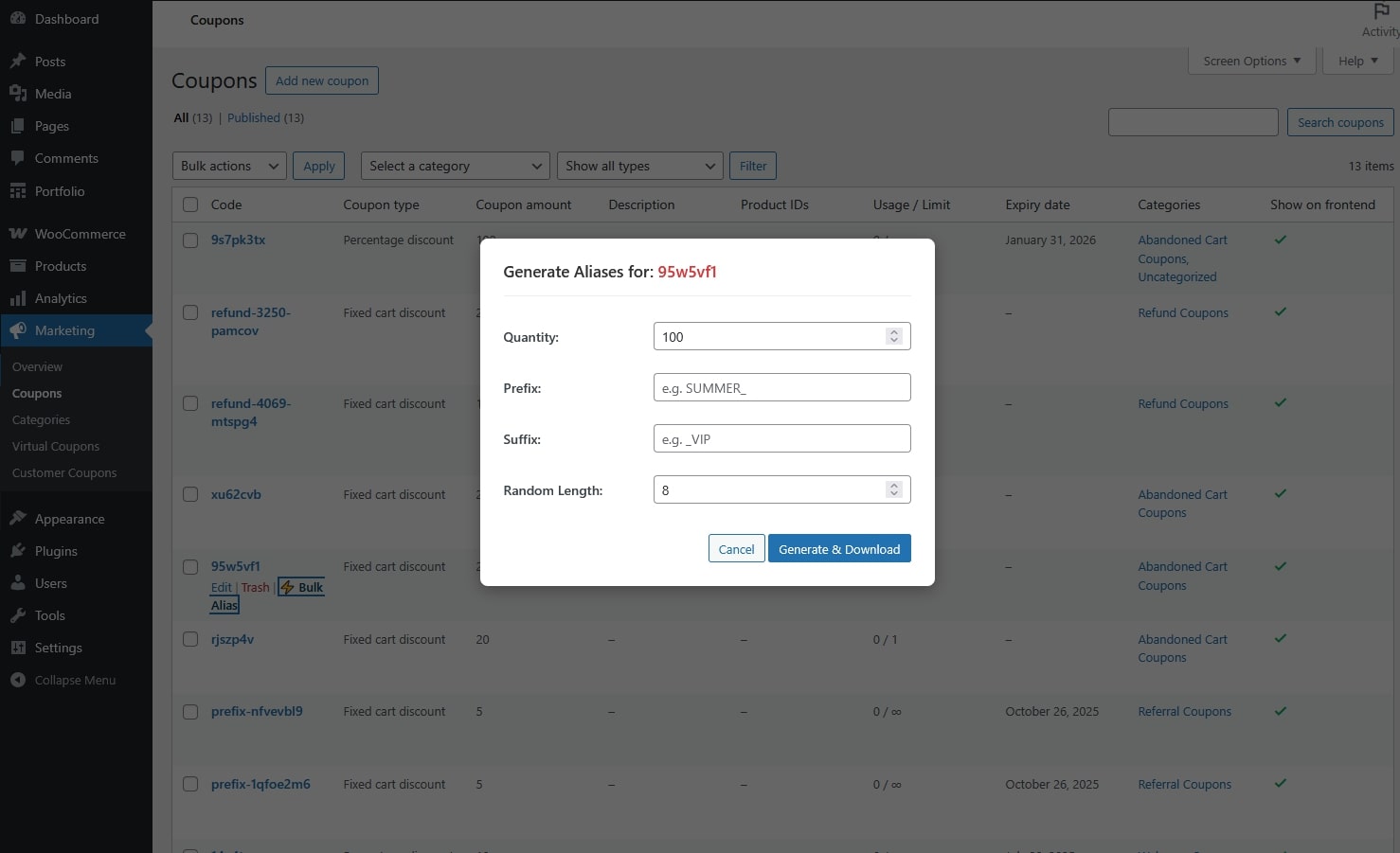
That’s it. The virtual coupons are now created.
After Creation
The generated coupons:
- Are created automatically in Virtual Coupons
- Inherit all settings and restrictions from the parent coupon
- Can be used once per code
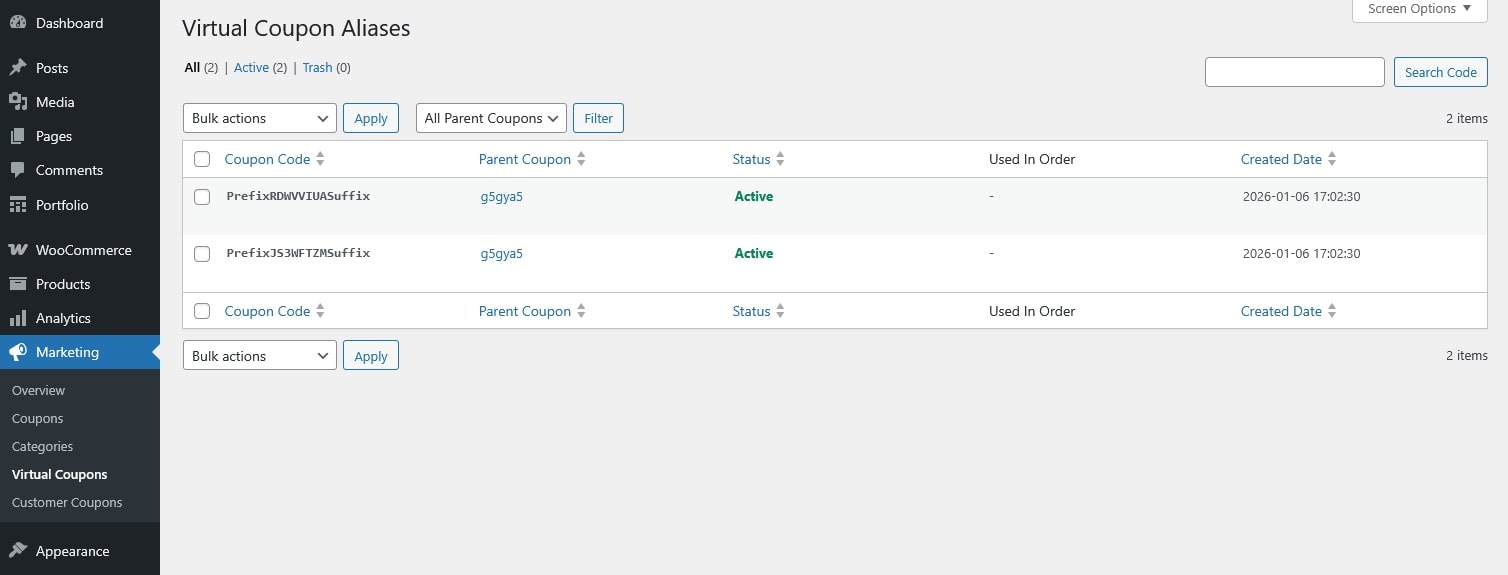
The admin only needs to send the generated coupon code(s) to customers.
Customers can apply the received code at checkout like a normal coupon.