
Copyright Villatheme 2015-2026
Created: 01/2026
Latest updated: 01/2026 – Updated version: 1.0.2
By: VillaTheme
Thank you for purchasing our plugin. If you have any questions that are beyond the scope of this documentation, please feel free to request support at our Support Forum. Thanks so much!
Required:
Go to Plugin/ Add New and search for the plugin with its title VIMA – Multi Customer Addresses for WooCommerce

Take a look at this tutorial
Once the plugin is installed and activated, it automatically extends WooCommerce’s address system to support multiple shipping addresses for logged-in customers. No additional setup is required to get started.
After activation, a new address form is automatically available under My Account → Addresses. Customers can use this form to add multiple shipping addresses
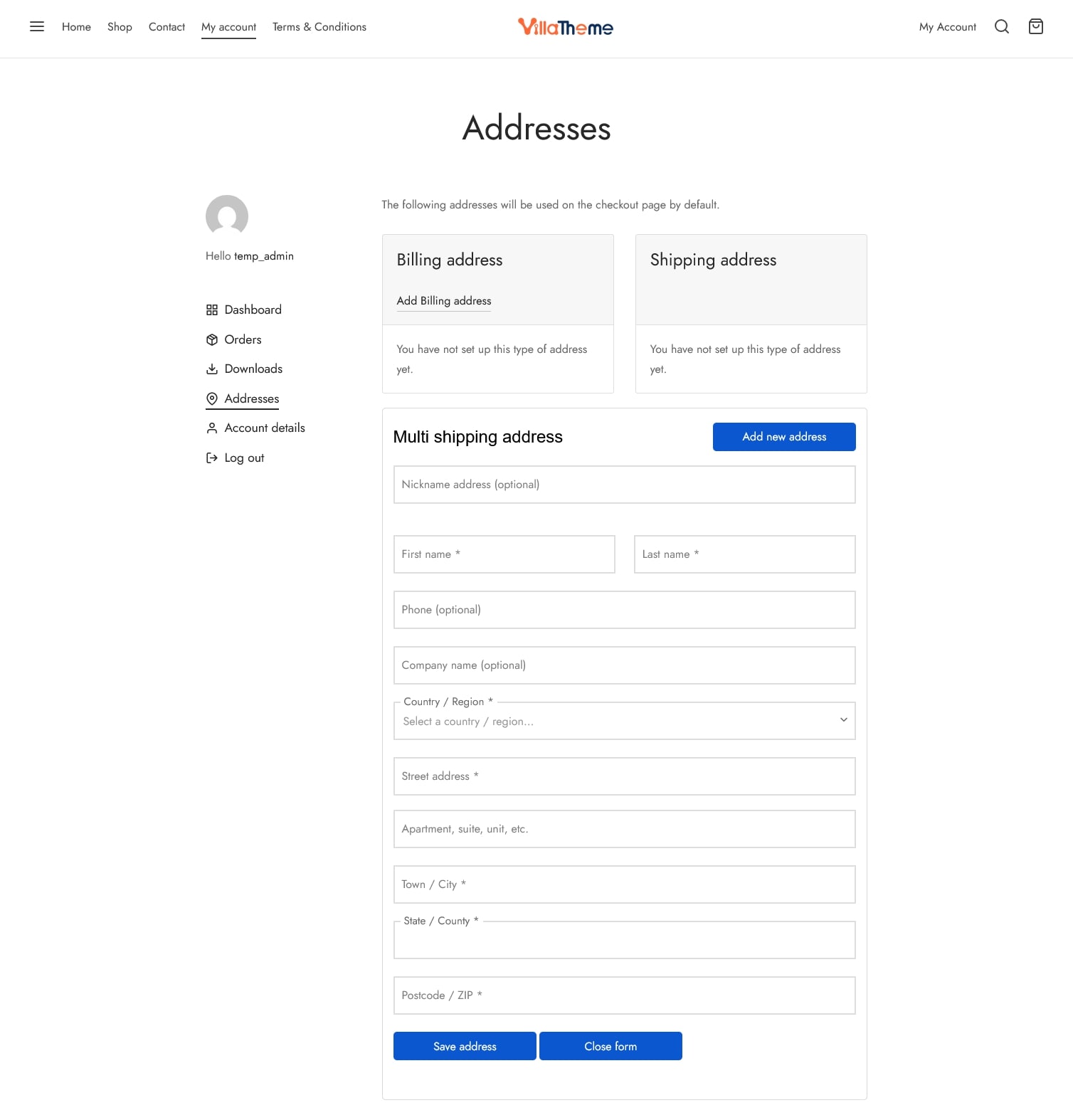

Administrators can create a dedicated address management place to make it more visible to customers. Simply insert the shortcode: [vima_address_list] to any page/area where one is supported and let it show to the front end. You can make a custom Addresses page. Publish the page and place it in a prominent location, such as the main menu or account menu
That page will display:
For guests, they would have to sign in to view their addresses
Saved addresses are displayed:
Customers can manage all their shipping addresses from these locations – Add new shipping address, remove existing ones, edit them, or set one as the default shipping address.
During checkout:
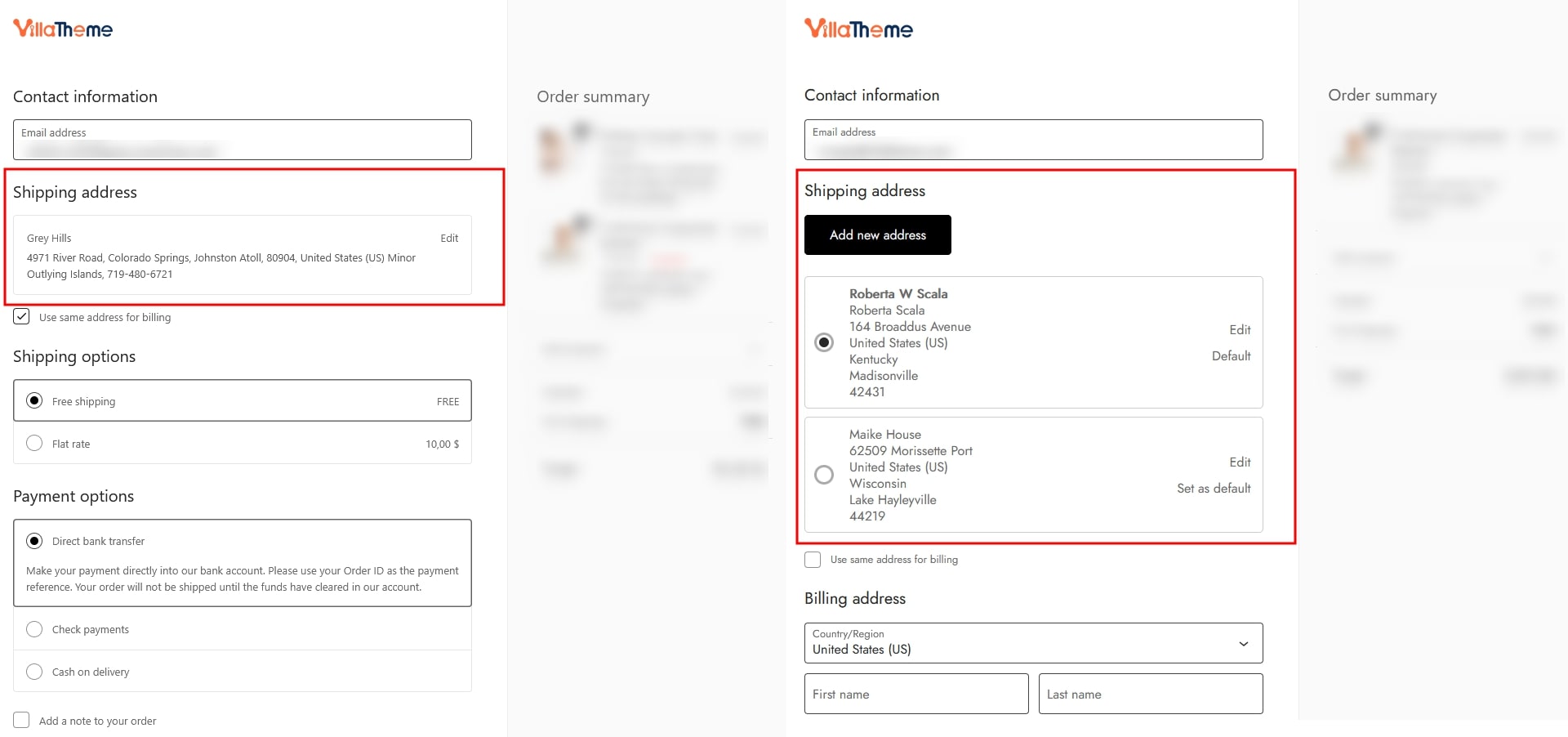
This makes repeat purchases faster and more convenient.
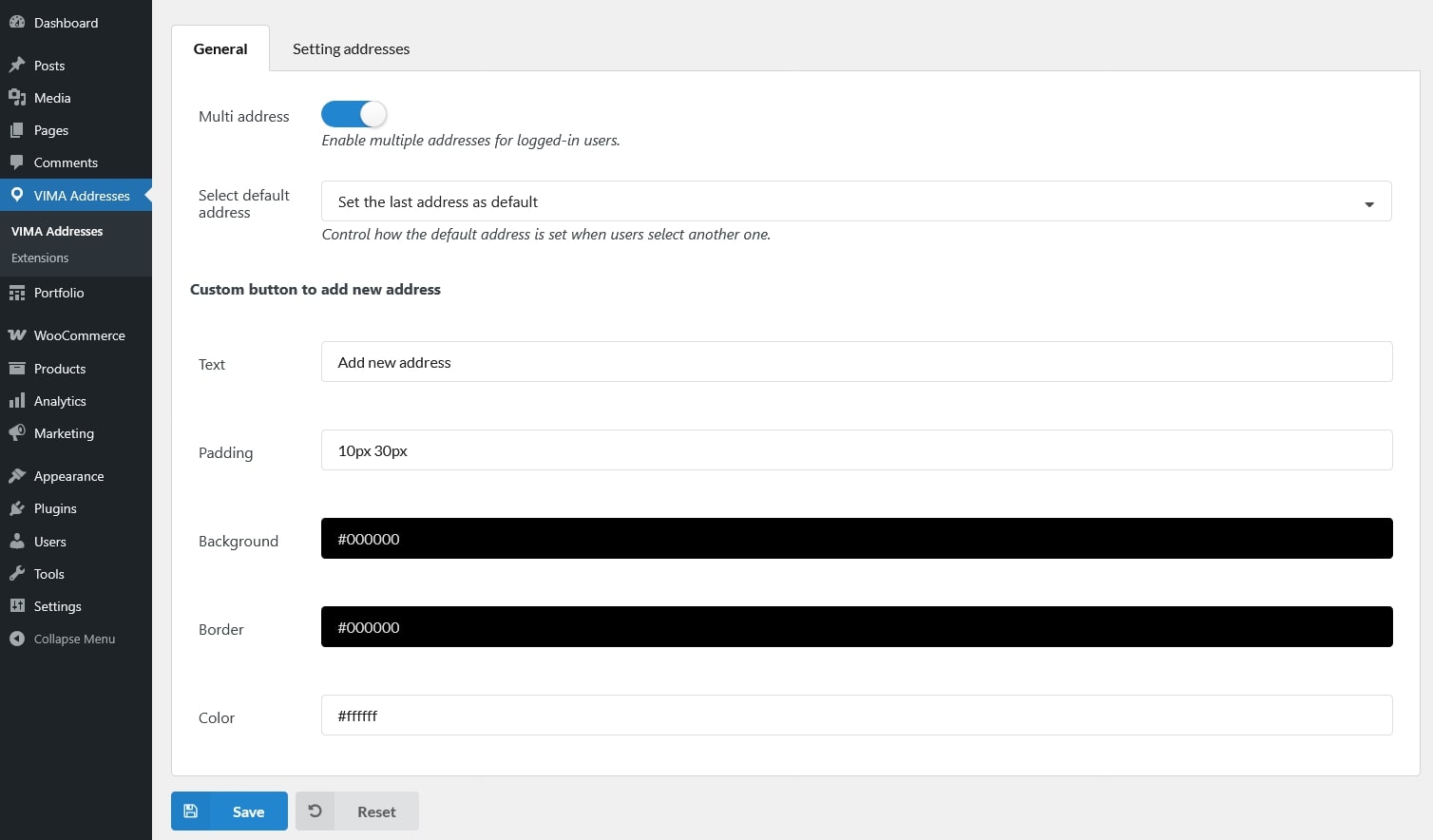
This tab controls the core behavior of the multiple address feature, including whether customers can save multiple shipping addresses, how a default address is selected, and how the “Add New Address” button appears on the frontend.
This tab controls how customer addresses are displayed and managed, including where to insert the addresses and the form, how many shipping addresses a customer can save, and which address fields are shown.
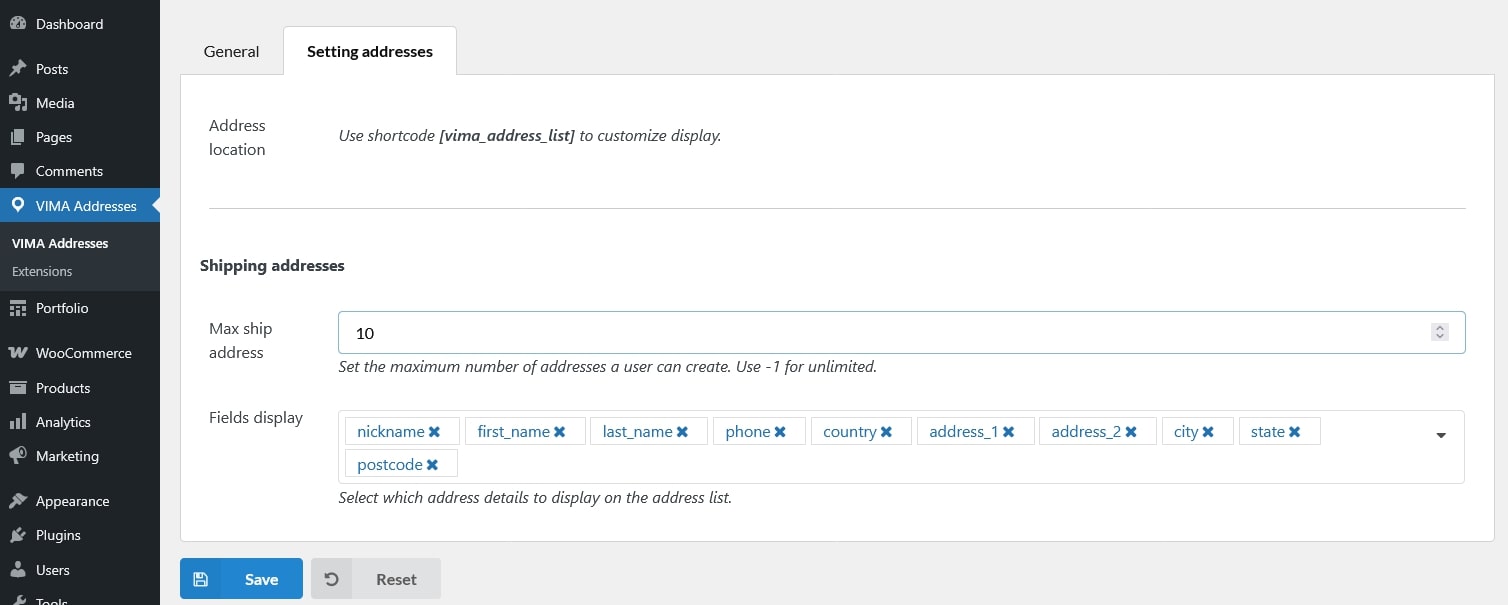
[vima_address_list] to display the list of saved addresses and the address input form. You can place this shortcode on any page (for example, a custom “My Addresses” page).