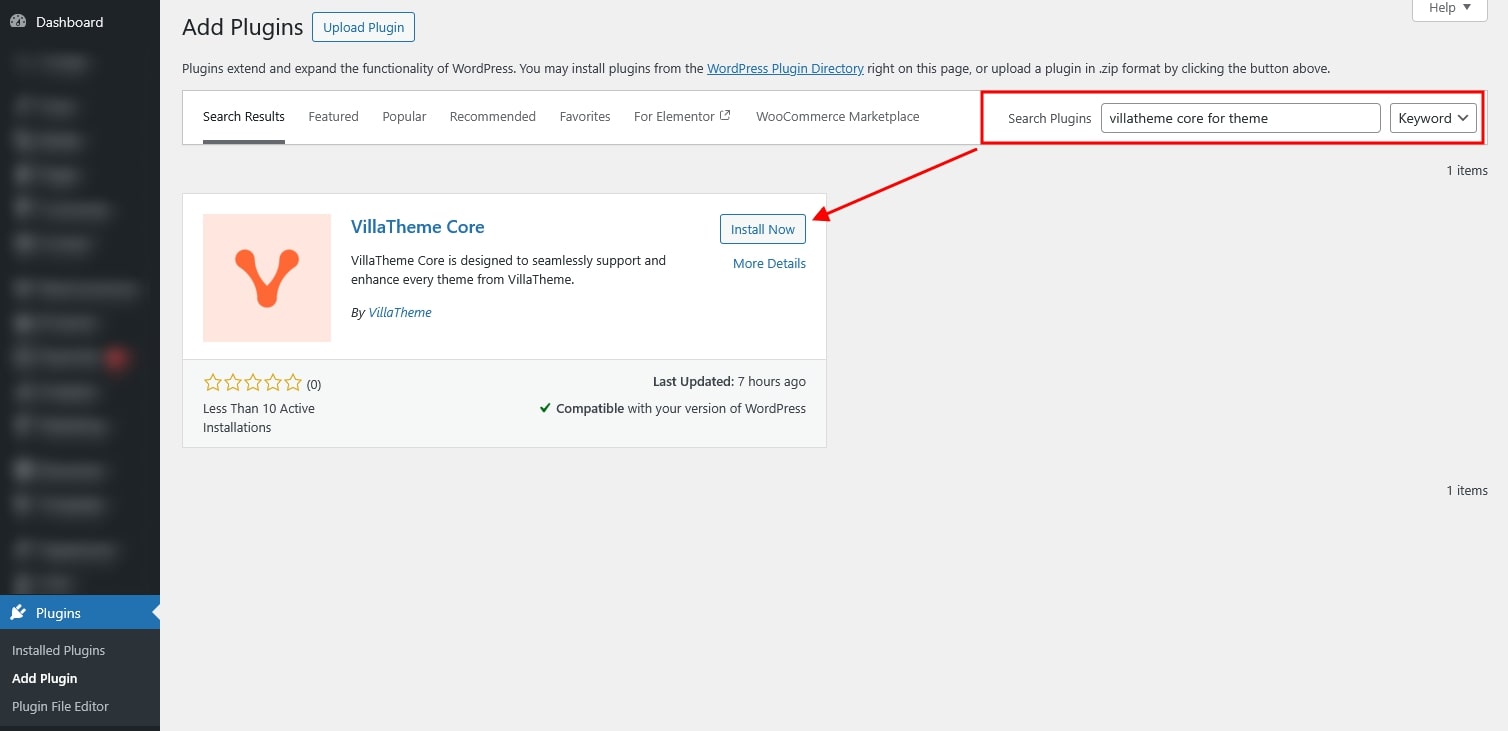
VillaTheme Core for Theme can be installed in one of the following ways, depending on the theme and setup process:
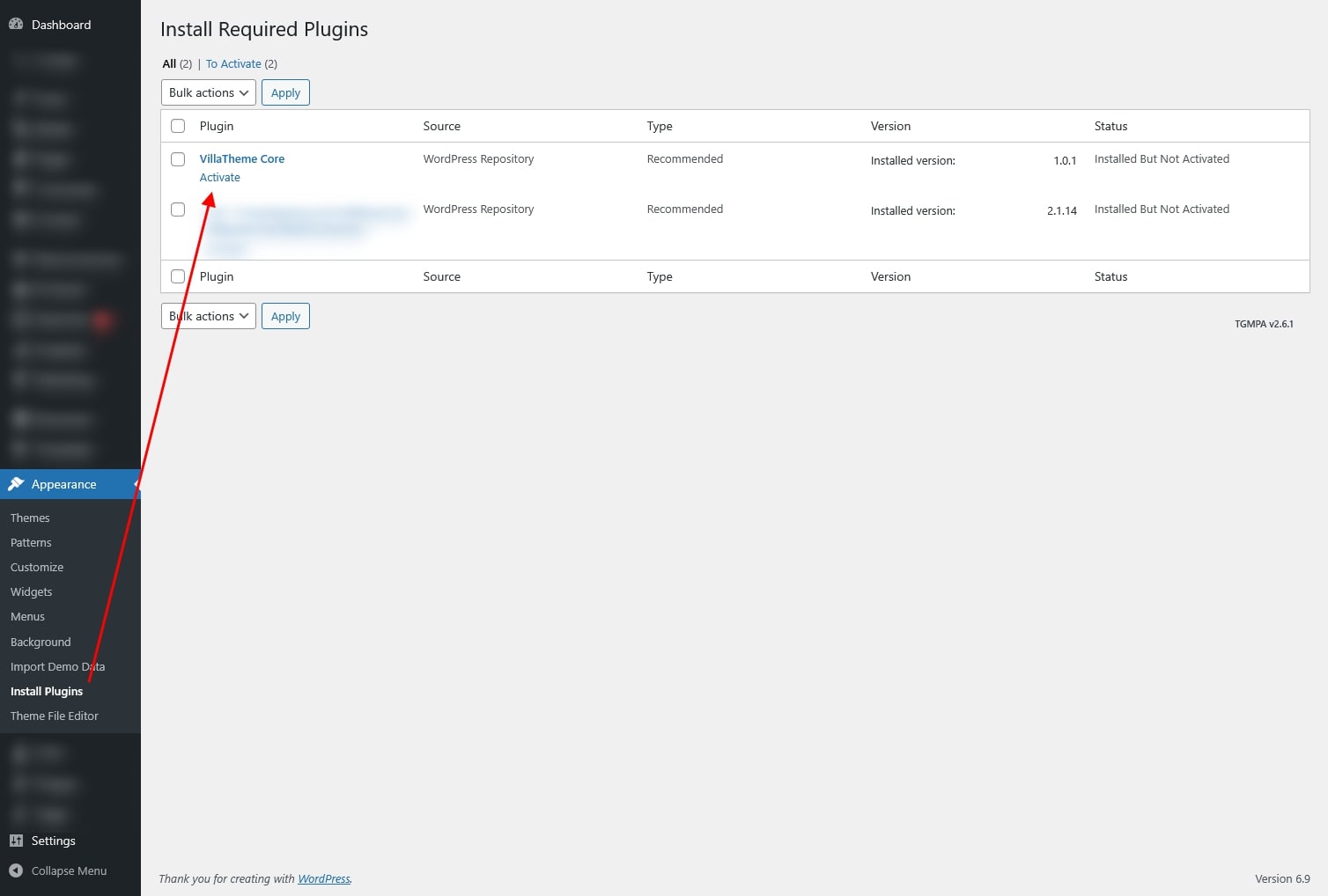
Automatically when activating a VillaTheme theme
For supported themes, the plugin will be prompted for installation or installed automatically during the theme activation process. This ensures all required features are enabled without manual steps.
Manually via the WordPress Plugins dashboard
You can also install the plugin directly from the WordPress admin area by navigating to Plugins → Add New, uploading the plugin package (downloaded from this official source), or search its plugin name VillaTheme Core, installing it, and then activating it.